You can mount a dash cam in ten minutes and still end up with the wrong setup. The camera may record your commute just fine, then miss the parked hit you cared about. Or it may work from a USB-C port one day and reboot the next.
The better question is not “Which cable is easiest?” It is: “Will this setup keep the camera recording when I need evidence?”
GearNudge may earn a commission if you buy through product links in this guide. That does not change the way we explain the tradeoffs.
Quick Answer
For simple road recording, start with the included 12V plug or a verified USB power setup. For parking mode, plan on a hardwire kit, OBD-II power, or a dedicated battery pack. Do not assume a normal 12V socket or factory USB port will support parked recording.
Here is the simple setup map:
| Power method | Best if | Avoid if | Main risk |
|---|---|---|---|
| 12V cigarette lighter | You only need driving footage and want the easiest install | You need parking mode or hate visible cables | Socket may be always-on, switched-off, loose, or physically unreliable |
| USB / USB-C | Your car has a verified stable port near the camera | The camera reboots, fails to power on, or needs parking mode | Factory USB ports may not supply enough current |
| Hardwire kit | You want parking mode and clean hidden wiring | You are not comfortable with fuse work or airbag-safe routing | Wrong fuse choice, fuse tap type, or low-voltage cutoff setting |
| OBD-II power | You want an easier parking-mode path without fuse-box work | Your OBD port sleeps, is blocked, or is needed for another device | Vehicle compatibility and port behavior vary |
| Battery pack | You park for long periods and want less starter-battery risk | Your commute is short, budget is tight, or cold weather is a problem | Cost, recharge time, space, and winter limits |
If you only need front or front/rear driving evidence, a basic plug-in setup may be enough. If you want the camera to record after the ignition is off, power becomes the whole decision.
The VIOFO HK4 Type-C Hardwire Kit is a hardwire example for compatible Type-C dash cams because it includes adjustable voltage cutoff settings. The Thinkware iVolt Mini BAB-50 and BlackVue Ultra Battery B-130A are battery-pack examples for parked recording without relying as directly on the starter battery.
What Your Dash Cam Setup Needs to Prove First
Before you choose between 12V and USB power, decide what kind of incident you want to capture.
Front footage usually shows what happened ahead of you. That helps with sudden braking, red-light conflicts, road-rage moments, animals, debris, and many intersection crashes.
Rear footage helps with rear-end impacts, tailgating, and some lane-change context. It also gives you more of the story if someone hits you from behind and then leaves.
Cabin footage can help if you drive rideshare, carry passengers, or want interior context. Multi-channel systems add even more views, but they also add cables, setup time, storage needs, and power draw.
A mirror-style dash cam is a different fit decision. It overlays or replaces the rearview mirror and often includes a rear camera. Before buying one, check mirror fit, rear-camera routing, and the power input. Do not assume it can run from the same low-power USB port as a small windshield camera.
Do Not Expect Every Plate to Be Readable
A dash cam can show what happened without reading every plate.
Plate capture depends on:
- speed
- distance
- angle
- glare
- rain or dirty glass
- headlight reflections
- exposure at night
- how wide the camera view is
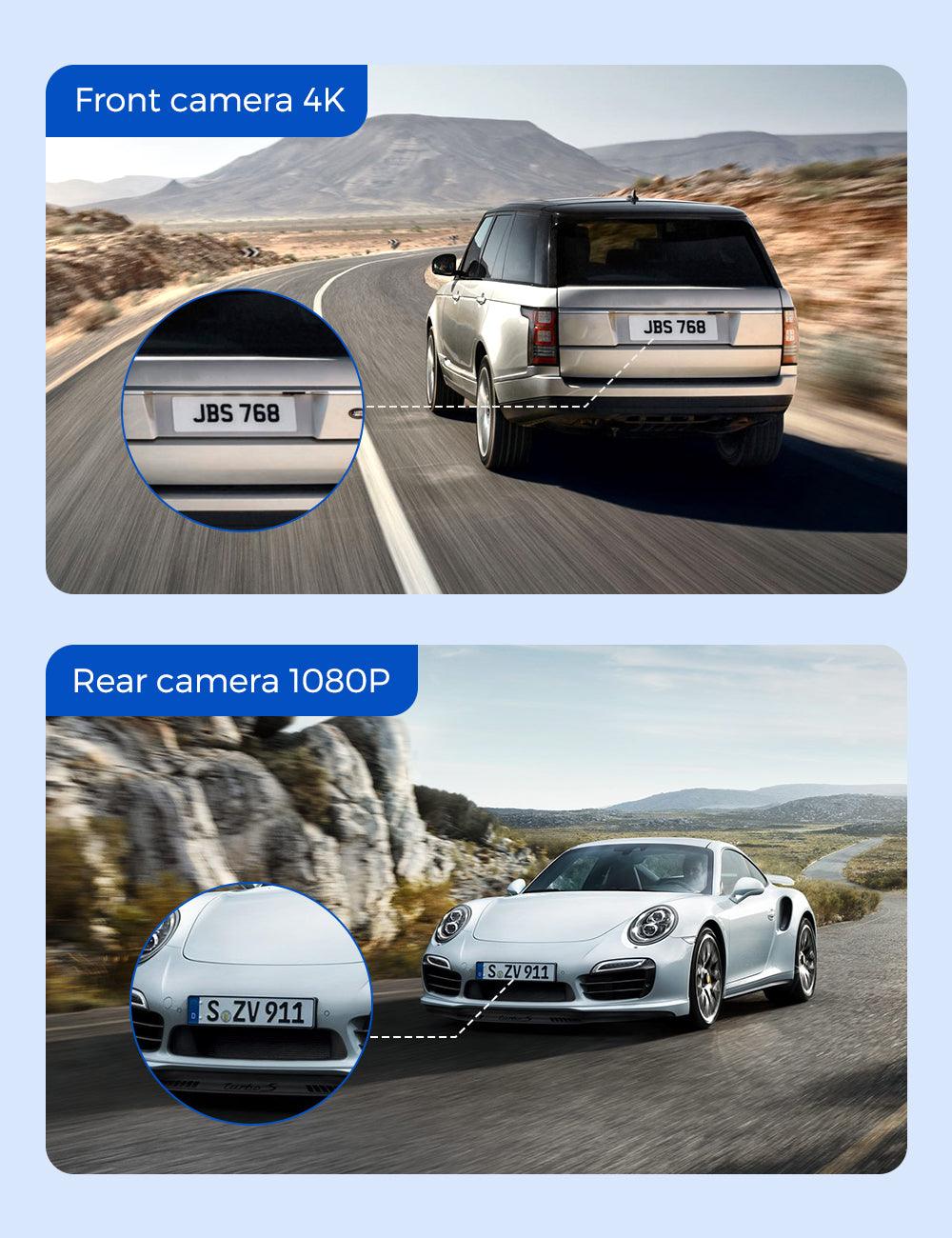
A wider field of view captures more context, but small details can become harder to read. That is normal. Power keeps the camera running; it does not magically improve plate readability.
Clip Retrieval Matters More Than People Think
The best footage is useless if you cannot save it before loop recording overwrites it.
Before you finish the install, learn how your camera handles:
- app downloads over WiFi
- screen playback
- microSD card removal
- emergency clip locking
- event folders
- loop recording limits
If you want help with parking behavior and power limits later, GearNudge has deeper guides on preventing dash cam battery drain when using parking mode and dash cam battery drain in newer vehicles.
Good Setup Examples by Reader Need
These are not ranked as “best overall.” They are examples of how camera coverage and power setup should match the job you need done.
Standard and Mirror-Style Camera Examples
Dash cam examples by coverage need
compare camera coverage needs before choosing the power method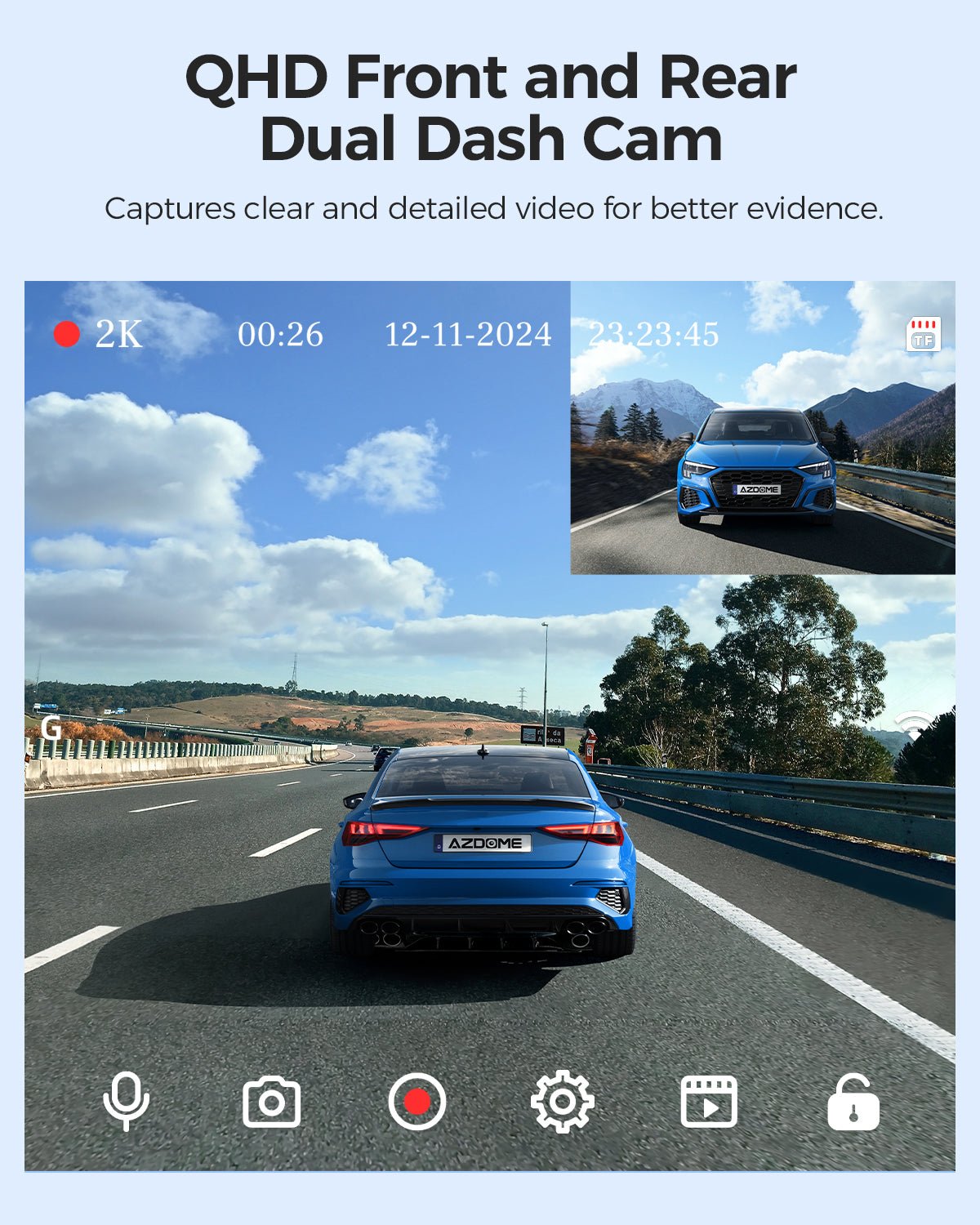
AZDOME M01 Pro
gearnudge.com
- Best if
- everyday front and rear driving evidence
- Avoid if
- you need confirmed parking-mode behavior before checking the power requirements
- Evidence
- useful as a front/rear setup example; verify connector and parking-mode requirements before relying on parked recording
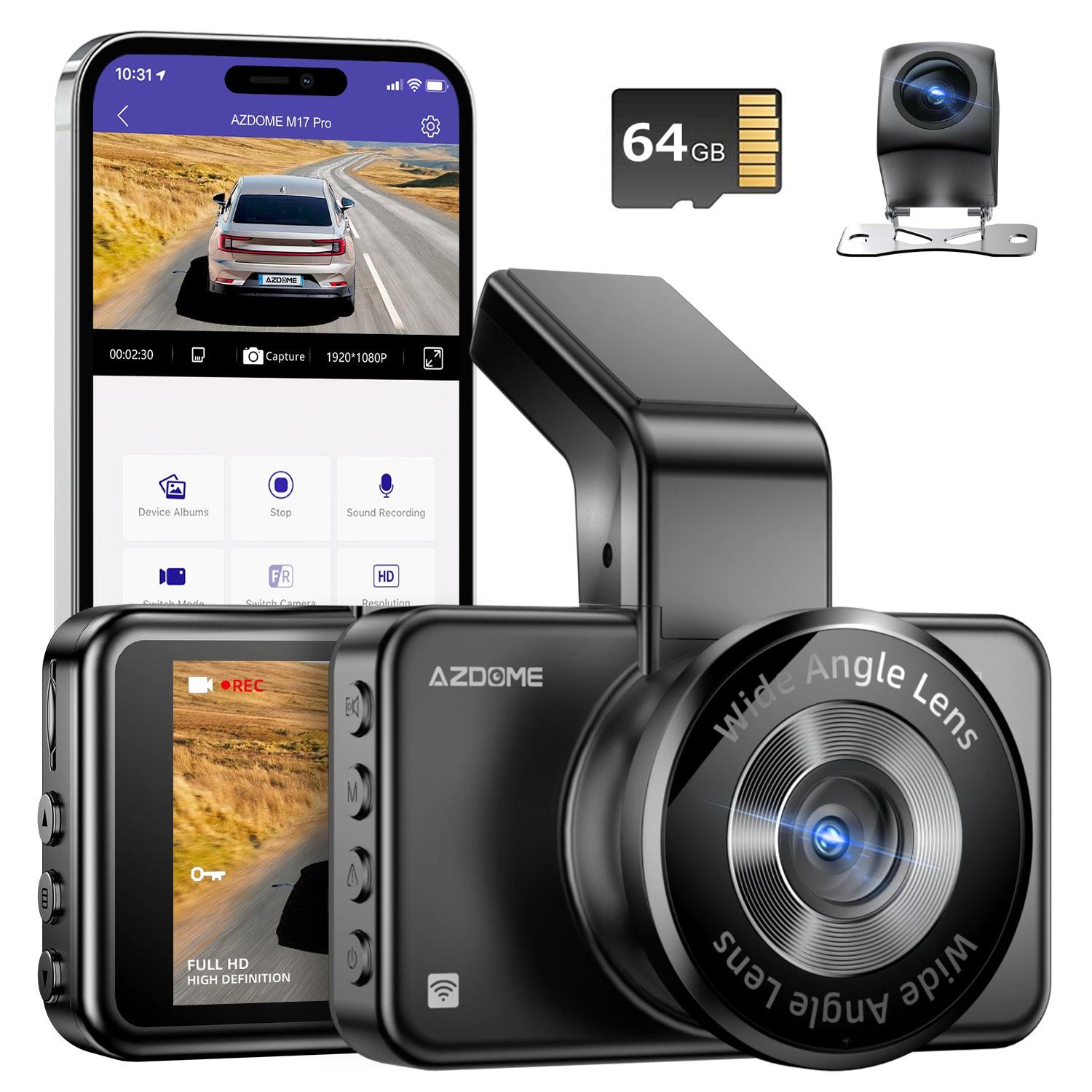
AZDOME M17 Pro
gearnudge.com
- Best if
- a cleaner-looking front and rear setup where stealth and cable routing matter
- Avoid if
- you want to install without checking cable path, connector type, and parking-mode trigger
- Evidence
- useful as a front/rear example; parking power should be verified before install
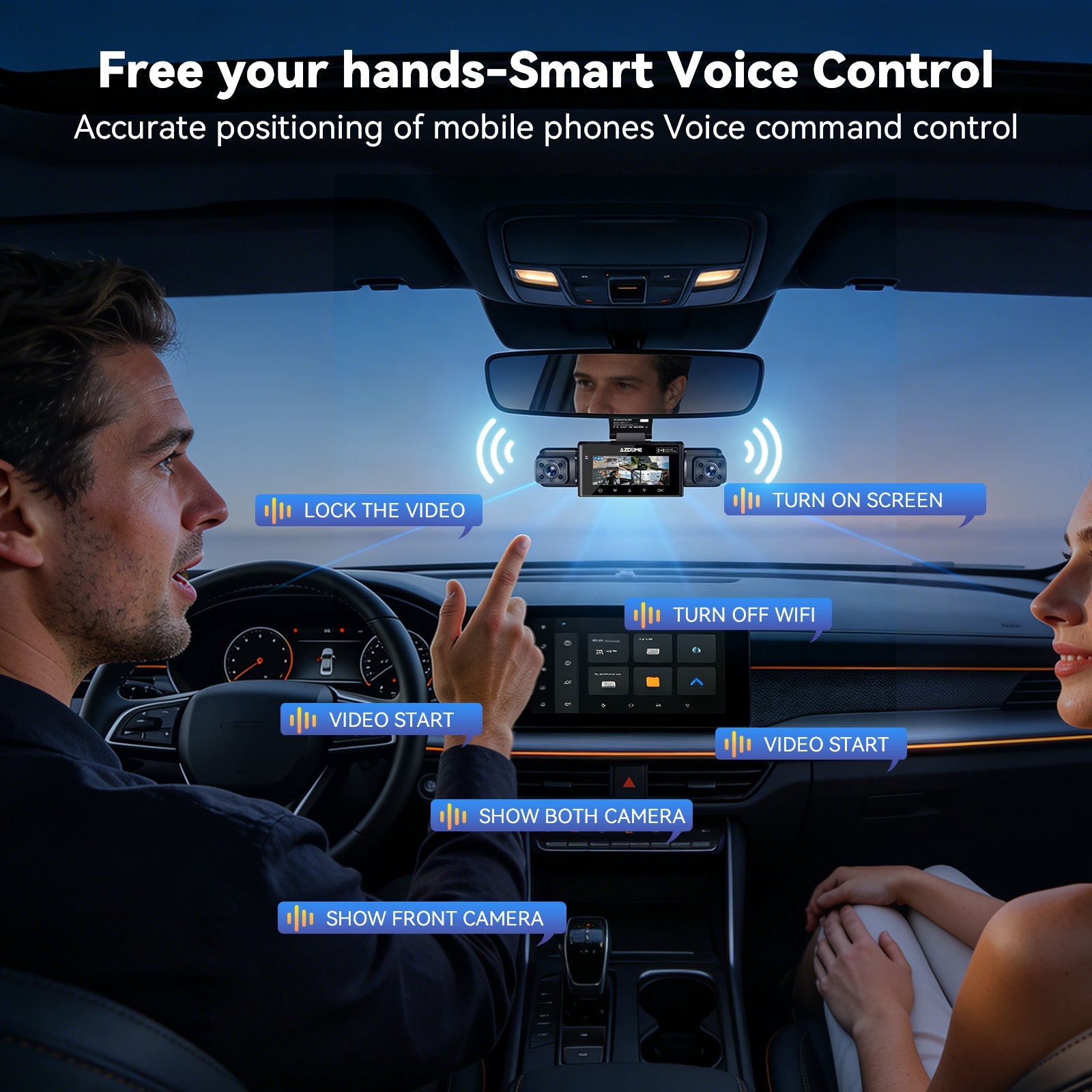
AZDOME M350
gearnudge.com
- Best if
- broader multi-channel context around the vehicle
- Avoid if
- you expect more views to guarantee readable plates
- Evidence
- multi-channel coverage can add context, but setup complexity and cable routing increase
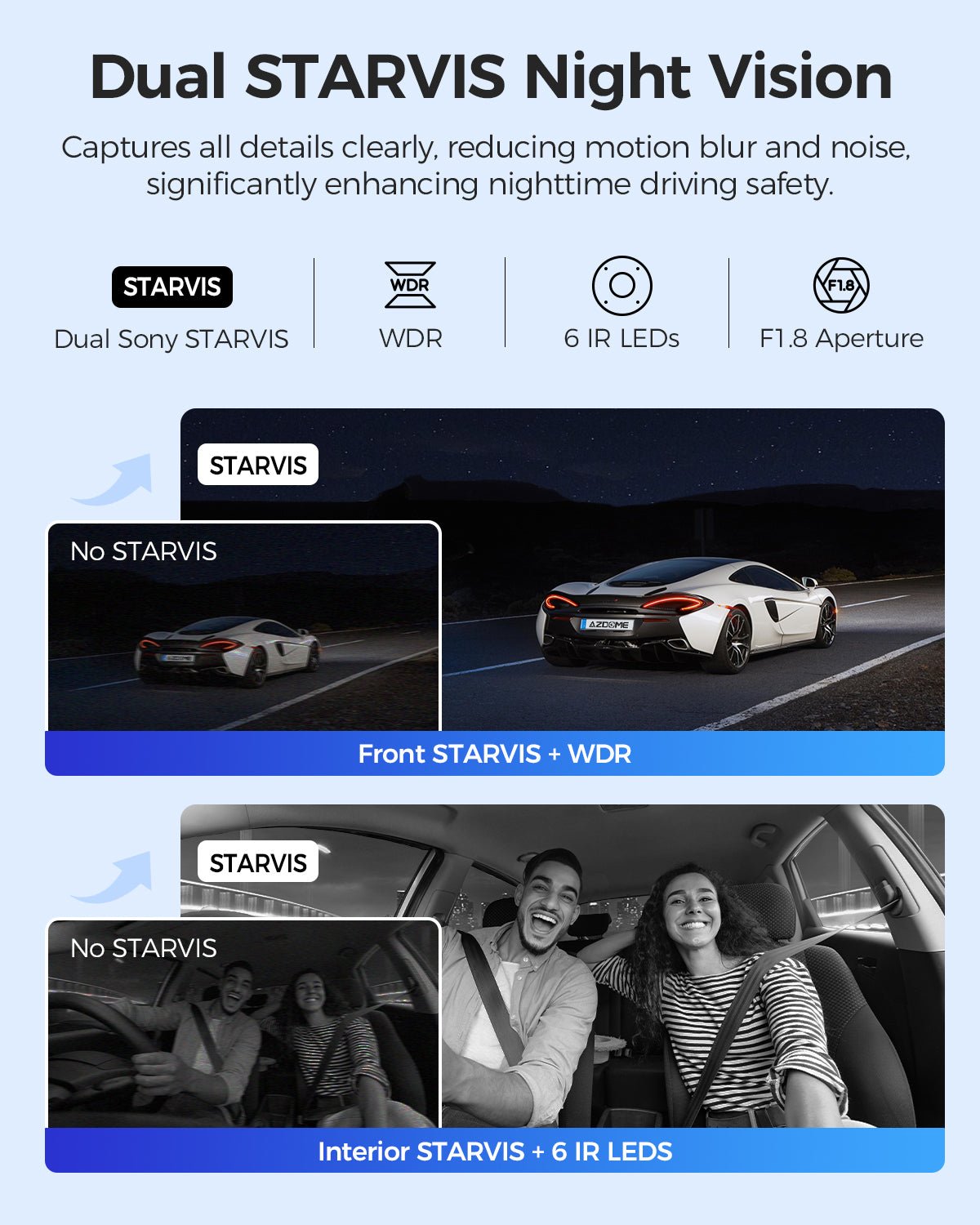
AZDOME M550 Max
gearnudge.com
- Best if
- front, cabin, and rear coverage for interior context plus road evidence
- Avoid if
- you want the simplest cable route or do not need cabin footage
- Evidence
- useful when cabin context matters; stable power and clip retrieval should be planned first
AZDOME M550 Pro
gearnudge.com
- Best if
- front and cabin recording where interior activity matters
- Avoid if
- you mainly need rear-end evidence and do not need cabin view
- Evidence
- front/cabin coverage changes the evidence job; verify connector and parking-mode requirements
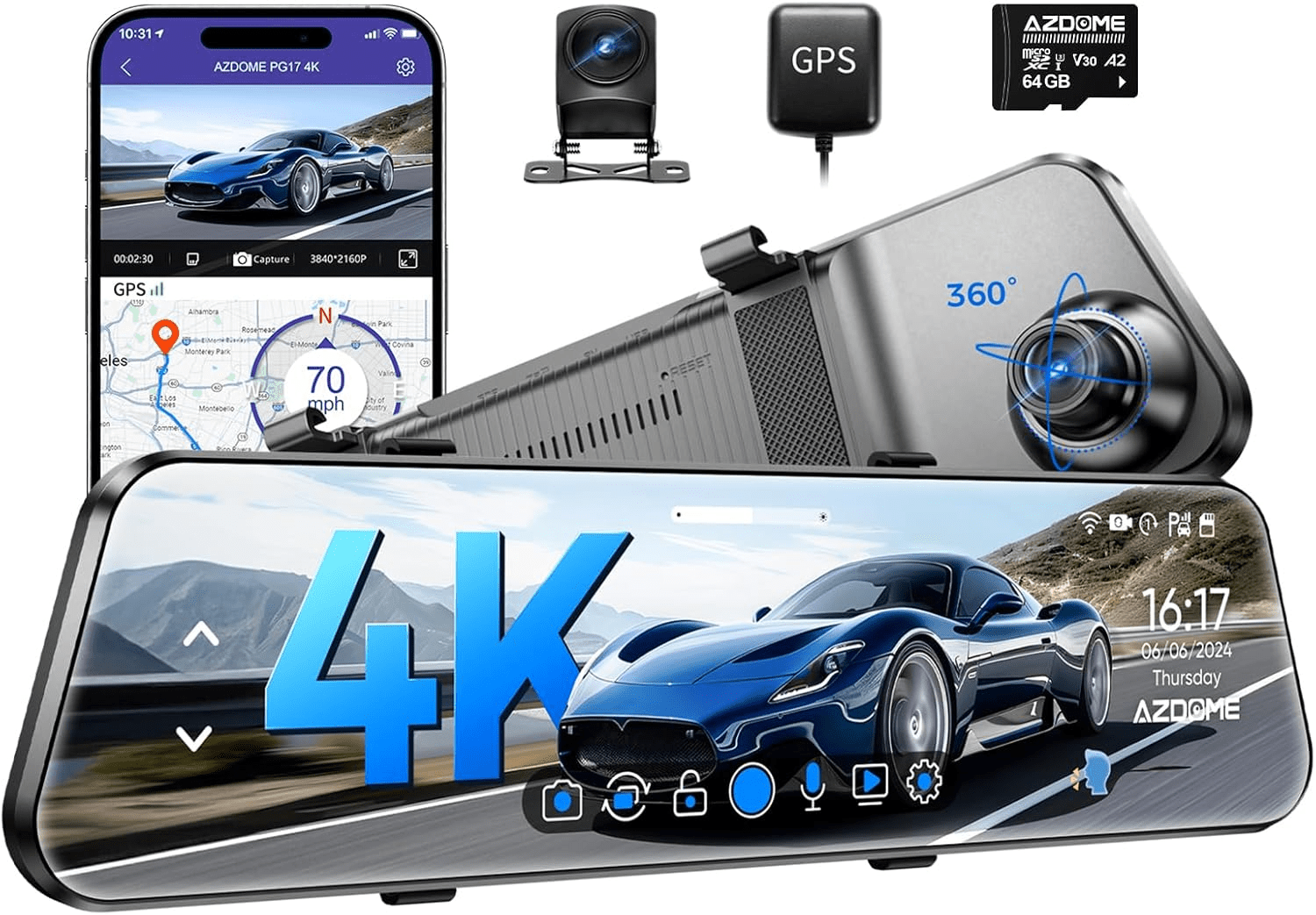
AZDOME PG17 Max Ultra
gearnudge.com
- Best if
- drivers who prefer a mirror-style display
- Avoid if
- you have not checked mirror fit, rear-camera routing, or power input
- Evidence
- mirror-style setups need extra fit and power checks before buying
The main point is simple: the more views you add, the more you should plan before hiding cables.
A front/rear setup can still be straightforward. A front/cabin/rear or multi-channel setup needs more care. A mirror-style setup has its own fit and power questions.
Hardwire Kit Example: VIOFO HK4 Type-C Hardwire Kit
The VIOFO HK4 Type-C Hardwire Kit fits the hardwire path for compatible Type-C dash cams. It is most relevant when you want parking mode and cleaner cable routing.
VIOFO Type-C HK4 Hardwire Cable For A119MINI2/A229 Plus/A229 Pro/A229 Ultra/A329/T130/WM1
gearnudge.com
- Best for
- shows the hardwire kit parts readers need to understand before routing ACC, constant power, and ground
- Avoid if
- you are not comfortable identifying fuses or routing cable near airbags
- Evidence
- official cutoff settings and supporting review evidence
Best fit: You have a compatible Type-C dash cam and want a hardwired parking-mode setup.
Avoid if: You want a no-tools setup, switch cameras between cars often, or are not comfortable working around fuse boxes.
Setup or fit risk: You need the right ACC fuse, constant-power fuse, ground point, fuse tap type, fuse tap orientation, and low-voltage cutoff setting. Do not rely on wire color alone; follow the kit labels.
Evidence note: The HK4 is listed with four low-voltage cutoff settings for 12V systems: 12.4V, 12.2V, 12.0V, and 11.8V. That makes it more flexible than a fixed-cutoff setup, but it does not make parking mode risk-free.
A higher cutoff is more conservative for starting the car later. A lower cutoff may allow longer parked recording, but it leaves less margin for an older battery, cold weather, or a car that sits for days.
Battery Pack Examples: Thinkware iVolt Mini and BlackVue Ultra Battery
Battery packs are for drivers who want parked recording with less direct drain on the starter battery. They are most useful if you park in higher-risk places, leave the car for long stretches, or have a vehicle where you do not want to draw from the main battery.
They are not magic. You need enough drive time to recharge them, a safe place to mount them, and a plan for cold weather.
Thinkware iVolt Mini BAB-50
Best fit: You want a compact battery-pack path for parked recording and you drive enough to recharge it.
Avoid if: Your trips are very short, you park in freezing conditions often, or you only need basic driving recording.
Setup or fit risk: You still need to mount the pack securely and check whether your drive pattern keeps it charged.
Evidence note: Distributor information lists the iVolt Mini BAB-50 as a LiFePO4 dash cam battery pack with stated single-channel and dual-channel runtime figures and a hardwire recharge time. Treat those numbers as planning references, not guaranteed results for every camera and climate.
Blackvue Ultra Battery B 130a
gearnudge.com
- Best for
- shows the battery pack form factor for readers planning where to mount an external dash cam battery
- Avoid if
- your commute is too short to recharge a battery pack or you do not need parked recording
- Evidence
- official product information plus practical limitations from owner reports
BlackVue Ultra Battery B-130A
Best fit: You want a higher-end battery-pack example for longer parked coverage and app-based monitoring features.
Avoid if: Budget, cabin space, or recharge time matter more than extended parked recording.
Setup or fit risk: It needs a secure mounting location and enough driving time to recharge. Cold weather can also reduce how practical battery packs feel in daily use.
Evidence note: BlackVue lists the Ultra Battery B-130A with a stated single-channel runtime, hardwire charge time, wireless app monitoring, and MSRP. Real-world runtime still depends on camera draw, temperature, charging method, and how long you drive.
Choose Your Power Setup in This Order
The easiest way to avoid buyer regret is to decide in this order.
1. Decide Whether You Need Parking Mode
If you only want footage while driving, use the simplest stable power method.
That usually means:
- the included 12V adapter
- a reliable 12V-to-USB adapter
- a verified factory USB port that supplies enough power
If you want parking mode, do not assume simple plug-in power is enough. Many dash cams need a hardwire kit with an ACC ignition signal or another parking-mode-capable method.
Parking mode also creates battery questions. For more detail, read GearNudge’s guide to setting up dash cam parking mode in EVs and newer cars.
2. Decide What View You Need
Use the least complicated camera coverage that solves your real problem.
- Front-only: simplest cable route and lowest setup burden.
- Front/rear: better for rear-end and tailgating context, but rear cable routing matters.
- Front/cabin: useful for passenger or rideshare context, but not a substitute for rear footage.
- Front/cabin/rear: more complete context, with more wiring and clip-management work.
- Multi-channel: useful for broader context, but more views do not guarantee readable plates.
- Mirror-style: useful if you prefer a mirror display, but mirror fit and power input matter.
3. Test Your Car’s Power Behavior
Do this before you hide any cable.
For 12V sockets:
- Plug in a small accessory.
- Turn the car off.
- Lock the car and wait a few minutes.
- Check whether the accessory stays powered.
If the socket stays on, a dash cam can keep drawing power unless you unplug it or use a protected setup. If the socket turns off, it is fine for driving recording but not enough for parking mode by itself.
For USB and USB-C:
- Confirm the camera powers on.
- Let it record for several minutes.
- Restart the car and watch for reboots.
- Check whether it records reliably with the screen off.
- Do not assume a USB-C port can power the camera just because the plug fits.
Some factory USB ports are designed for data or low-power charging. Dash cams often need more stable current than those ports provide. USB-C can also create power-negotiation problems, especially with USB-C to USB-C cables.
4. Pick the Least Complicated Setup That Works
Do not buy the most complex setup by default.
Use 12V if you need quick driving recording. Use verified USB if it powers the camera reliably and you do not need parking mode. Use hardwire if you want clean routing and parking mode. Consider OBD-II if you want a simpler parking-mode path and your vehicle supports it. Consider a battery pack if long parked coverage matters and your drive pattern can recharge it.
OBD-II power can be a useful middle path for leased vehicles or drivers who do not want fuse-box work. But check the port location, whether your vehicle powers it while parked, and whether you already use that port for an insurance dongle, scanner, or other device. If you use diagnostic tools, also check OBD scanner compatibility with newer vehicles before relying on splitters or shared access.
5. Plan Clip Retrieval Before You Need It
After an incident, you do not want to learn the app for the first time while standing on the roadside.
Before daily use, test:
- saving a clip
- finding an event clip
- downloading over WiFi
- removing and reading the memory card
- checking date and time
- confirming loop recording does not erase locked footage too quickly
This matters as much as the power cable. The whole setup exists so you can use the footage later.
Avoid These Power Setup Mistakes
Do Not Assume Your 12V Socket Behaves the Way You Want
Some 12V outlets turn off with the ignition. Others stay powered.
Neither behavior is automatically “right.” It depends on your goal.
- Switched 12V is fine for driving recording.
- Always-on 12V can support continued power, but it can also drain the battery if unmanaged.
- A loose 12V plug can cause intermittent recording.
- Bulky adapters can block nearby ports.
- Cheap adapters may not provide enough current.
If the plug works loose from vibration, the camera may only record when the adapter is pressed in just right. That is not the kind of failure you want to discover after a crash.
Do Not Assume USB-C Will Work
USB-C is convenient, but dash cams do not always behave like phones.
Some car USB-C ports do not supply enough current. Some USB-C to USB-C setups fail because of power negotiation. If your camera reboots or never powers on, try the included adapter or a different approved power path before assuming the camera is defective.
If you are adding accessories to a newer vehicle, it is worth checking USB-C and 12V outlet checks before routing cables permanently.
Do Not Assume Parking Mode Works From Any Cable
Parking mode often needs more than constant power. Many cameras need to know when the ignition turns off so they can switch into the correct recording mode.
That is why hardwire kits often use three connections:
- constant power
- ACC or ignition-switched power
- ground
Some cameras or accessories handle parking mode differently, so check your exact model. But do not assume a normal 12V or USB cable will trigger it.
Do Not Assume Low-Voltage Cutoff Prevents All Battery Problems
Low-voltage cutoff helps protect the starter battery, but parking mode still draws power.
A typical starter battery is not meant to be deeply discharged. Cold weather also reduces usable capacity and can make voltage sag more quickly. Some drivers raise cutoff settings in winter to reduce dead-battery risk.
A 12.4V cutoff is conservative. It may stop parked recording sooner than you expect because a used battery can settle near that range after the alternator stops charging. Lower settings may extend recording time, but they also reduce your safety margin.
Do Not Hardwire Without Checking the Details
Hardwiring is clean, but it is not just “plug in a fuse tap.”
Before you begin, confirm:
- ACC fuse
- constant fuse
- fuse tap type
- fuse tap orientation
- amperage
- ground point
- cable route
- airbag location
- low-voltage cutoff setting
- the camera’s parking-mode menu settings
If fuse work or airbag-safe routing feels uncertain, pay for installation. Professional install costs more, but it can be cheaper than a bad electrical mistake.
Do Not Buy a Battery Pack Assuming It Solves Everything
Battery packs reduce direct starter-battery drain, but they add their own limits.
Check:
- recharge time
- your normal drive length
- winter charging behavior
- mounting space
- cable routing
- budget
- whether your camera is compatible
If you drive only a few minutes a day, a battery pack may not recharge enough for overnight recording. In freezing weather, charging behavior can also be limited.
Treat Older Mini USB Cables as Compatibility Items
Anina Mini USB Power Cord is best treated as a backward-compatibility option for older dash cams that use Mini-B connectors. Its 10-foot length and right-angle connector can be useful only if that is the connector your camera needs.
Do not buy it as a universal modern dash cam power solution.
Setup Checks Before You Route the Cable
Do these checks while the cable is still visible and easy to change.
Before Mounting the Camera
Confirm:
- the camera powers on
- it starts recording automatically
- the memory card is recognized
- the date and time are correct
- the app or screen can show a live view
- you know how to lock a clip
- you can retrieve a saved clip
For front/rear or multi-channel cameras, check that every camera view records before hiding the rear cable.
Before Hiding Cables
Check:
- cable length
- rear-camera route
- cabin-camera position
- mirror-style rear-camera route
- whether trim panels pinch the cable
- airbag zones
- pedal clearance
- steering column clearance
- sharp trim edges
Do not route cables across airbag deployment paths. If you are unsure where the airbags are, stop and look up vehicle-specific guidance or use a professional installer.
For Hardwire Setups
Start with a conservative low-voltage cutoff. Then revisit it after you see how long parking mode actually lasts.
A cutoff setting is a tradeoff:
- Higher cutoff: safer for starting the car, shorter parking time.
- Lower cutoff: longer parking time, less battery margin.
- Cold weather: usually needs more caution.
- Older battery: needs more caution.
- Multi-channel camera: usually draws more power than a simple one-channel setup.
Some controlled dash cam testing shows that parking-mode power draw can vary meaningfully between single-channel and dual-channel systems. That is why you should not copy another driver’s exact cutoff setting without considering your camera, battery, and climate.
For Battery Packs
Check the pack against your real driving pattern.
Ask:
- How long do I normally drive each day?
- Is that enough to recharge the pack?
- Where will the pack be secured?
- Will it be exposed to freezing temperatures?
- Can I access it if I need to troubleshoot?
- Does the camera draw more power than the stated runtime assumes?
A battery pack is most convincing when you park for long periods and also drive long enough to recharge it.
For Evidence Use
After installation, do one real-world test.
Drive in daylight, drive at night, park, then review the footage. Check whether the camera angle is useful, whether glare is a problem, and whether you can retrieve a clip quickly.
Do not wait for an accident to discover the camera was aimed too high, the rear cable was loose, or the memory card was overwriting the wrong files.
Common Questions Before Choosing Dash Cam Power
Common Questions
Can I power a dash cam from the 12V socket?
Yes, for simple driving recording. Test whether the socket turns off with the ignition. If it stays on, unplug the camera or use protected power to reduce battery-drain risk.
Can USB or USB-C power a dash cam?
Sometimes. The port must supply stable 5V power with enough current. Some factory USB and USB-C ports are too weak or have power-negotiation issues.
Do I need hardwire for parking mode?
Often, yes. Many dash cams need a hardwire kit with ACC ignition detection or another parking-mode-capable power method.
Is hardwiring safe for my car battery?
It can be safe when installed correctly with low-voltage cutoff, but it is not risk-free. Long parking periods, cold weather, and older batteries still matter.
What low-voltage cutoff should I use?
There is no universal setting. Higher settings are more conservative. Lower settings may record longer but leave less starting margin, especially in cold weather.
Is a battery pack worth it?
It is worth considering for longer parked coverage or battery-drain anxiety, but only if your commute can recharge it and you have space and budget for it.
Should I choose OBD-II instead of hardwire?
Maybe. OBD-II can be easier than fuse-box work, but verify vehicle behavior, port location, and camera compatibility before relying on it.
Will a better power setup make plates readable?
No. Power keeps the camera running. Plate readability depends on the camera, speed, angle, glare, distance, glass, and lighting.
The Simplest Setup That Records What You Need Is the Right One
Start with the evidence job.
If you only need driving footage, use 12V or verified USB power. Keep it simple.
If you need parking mode, choose a setup that is designed for parked recording. That usually means hardwire, OBD-II, or a battery pack, depending on your vehicle and comfort level.
If you need long parked coverage without leaning on the starter battery, consider a battery pack. Just be honest about recharge time, cold weather, cost, and mounting space.
Before you install, check the weak points:
- 12V socket behavior
- USB current and USB-C compatibility
- parking-mode trigger
- fuse type and fuse tap orientation
- low-voltage cutoff setting
- battery-pack recharge limits
- airbag-safe cable routing
- clip retrieval
Do not buy the most complicated setup by default. Buy the least complicated setup that keeps the camera recording when and where you need evidence.
AZDOME M01 Pro 3K WiFi Dual Dash Cam | Front & Rear 3\" IPS Screen | ADAS & GPS
gearnudge.com
- Best for
- recommended option from article product list
- Avoid if
- You need confirmed live price or guaranteed fit from this page.
- Evidence
- Listing and source evidence
AZDOME M17 Pro Stealth Dual Dash Cam | 4K Front & 1080P Rear | WiFi 6 & ADAS
gearnudge.com
- Best for
- recommended option from article product list
- Avoid if
- You need confirmed live price or guaranteed fit from this page.
- Evidence
- Listing and source evidence
All Products Covered
Use this as the complete product list for comparison.
Bottom Line
Use the shortlist above to choose the setup that fits your main problem, then verify fit, power, parking mode, and clip retrieval before relying on it for real evidence.
References
Sources used while preparing this guide.
Videos
Official sources
- blackvue.com (official)blackvue.com
- blackvuenorthamerica.com (official distributor)blackvuenorthamerica.com
- dongar.tech (official)dongar.tech
- thinkware.com.au (official distributor)thinkware.com.au
- viofo.com (official)viofo.com
User reports
- DashCamTalk forum thread — VIOFO HK4 prototype test by rcg530 and Chuck McCoy with multimeter-verified cutoff measuremendashcamtalk.com
- Dashcam with parking mode power issues — Jeep Wrangler JLjlwranglerforums.com
- Dongar Pro adapter and Viofo dash cams — parking mode not workingtacoma4g.com
- How to configure Viofo cam for minimum current draw when parked?dashcamtalk.com
- Parking mode drains batterydashcamtalk.com
- Power supply options for parking modedashcamtalk.com
- RDForum user discussion thread — cold-weather voltage cutoff adjustment and Ford BMS interaction reportsrdforum.org
- dashcamtalk.com (forum)dashcamtalk.com
- dashcamtalk.com (forum)dashcamtalk.com
- dashcamtalk.com (forum)dashcamtalk.com
- dashcamtalk.com (forum)dashcamtalk.com
- dashcamtalk.com (forum)dashcamtalk.com
- dashcamtalk.com (forum)dashcamtalk.com
- macheforum.com (forum)macheforum.com