You do not think about dash cam footage until the moment you need it. A lane change goes wrong, someone brakes hard ahead, or a rear-end hit turns into a disagreement about what happened.
Front and rear recording coverage can help, but only if the camera captures the right angle, saves the right clip, and gives you a usable file afterward. Plate readability, night detail, and app access are not guaranteed just because the box says 4K.
Quick Answer
If you are choosing mainly between the Wolfbox G900 Pro and the Redtiger F77 for road incident evidence:
- Choose the Wolfbox G900 Pro if you want a mirror-style display, a digital rearview feel, and a removable storage-card workflow that may be easier to hand off after an incident.
- Choose the Redtiger F77 if you want a lower-profile windshield camera and you like the idea of dual front/rear Sony IMX678 STARVIS 2 4K sensor claims.
- Be cautious with both if you need dependable smartphone app access, guaranteed night license plate capture, or parking-mode evidence you can trust without extra setup and testing.
- Start with the incident you care about most. Front footage helps most with what happened ahead. Rear footage matters for rear-end hits, tailgating, and lane-change context.
Fast Fit: Wolfbox vs Redtiger
quick comparison of the two main evidence-focused choicesWolfbox G900Pro mirror-style option
drivers who want a large mirror display and removable-card workflow
Avoid if: your factory mirror has important built-in features or the mirror area is blocked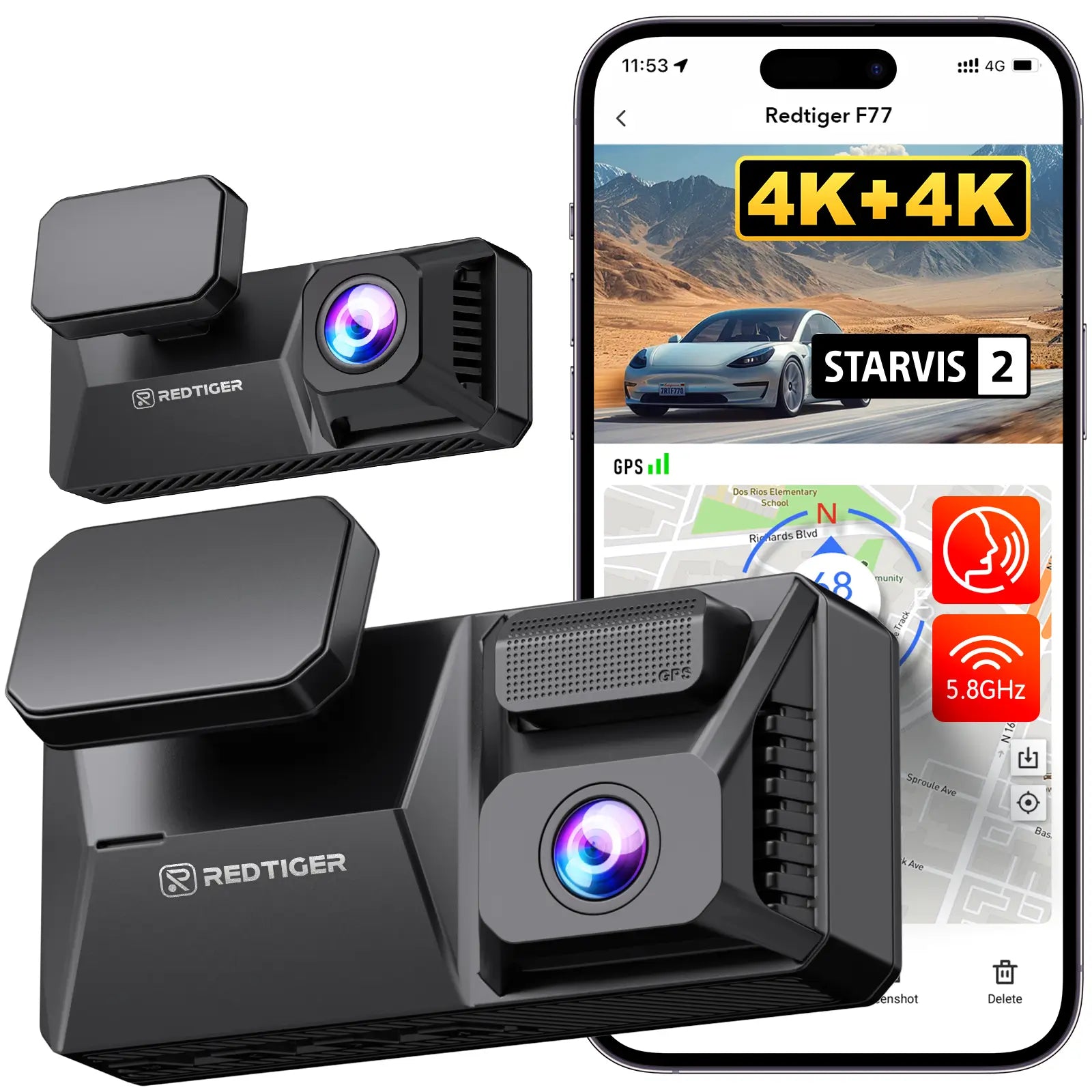
Redtiger F77 dual 4K option
drivers who want a discreet wedge camera and dual IMX678 front/rear claims
Avoid if: you need removable SD storage or fast no-fuss clip handoffWhat Front and Rear Coverage Can Actually Prove
Front and rear recording coverage is worth considering if you want more than a single forward view. It gives you a better timeline.
The front camera usually shows:
- traffic lights and signs
- lane position
- braking ahead
- cut-offs
- road layout
- the lead-up to a crash
The rear camera helps with:
- rear-end impacts
- tailgating
- vehicles approaching fast from behind
- lane-change disputes
- hit-and-run context after a car passes or leaves the scene
But front and rear coverage does not make every detail clear. A wider view captures more context, but it also makes vehicles and plates smaller in the frame. Wide-angle lenses can also soften detail near the edges.
Night footage is harder. Low light can force the camera to use slower shutter speeds or more gain. That can mean motion blur, noise, blown-out headlights, and lost fine detail. Rainy nights, underground garages, and streets with bright overhead lighting are especially tough because reflections and high contrast work against plate readability.
Wolfbox G900 Pro vs Redtiger F77 for Road Evidence
The Wolfbox G900 Pro and Redtiger F77 solve the same broad problem in different ways.
The Wolfbox is a mirror-style setup. It puts a large display where your rearview mirror already is. The Redtiger is a wedge-style dash cam that mounts separately on the windshield.
For road evidence, the choice is less about which one sounds more advanced and more about which setup you will trust every day.
Wolfbox G900 Pro: Better Fit If You Want a Mirror Display and Removable Storage
The Wolfbox G900 Pro fits drivers who want the dash cam to double as a digital rearview mirror. It is especially appealing if your car has an older interior, poor rear visibility, or no modern rear camera display.
Wolfbox lists the G900 Pro with a Sony IMX678 STARVIS 2 front camera and 4K front recording. The rear camera is listed as 2.5K, not 4K. That matters because rear evidence is important for rear-end and tailgating situations.
Wolfbox G900 PRO
gearnudge.com
- Best for
- shows the mirror-style form factor and why fit around the existing mirror matters
- Avoid if
- your mirror area has built-in controls, a large sensor housing, or limited clearance
- Evidence
- official specs plus owner-reported setup concerns
Best fit
Choose the Wolfbox G900 Pro if you want:
- a large mirror display
- front and rear live viewing
- a mirror-style upgrade for daily driving
- removable storage rather than fixed internal storage
- a setup that feels more integrated than a separate screen
Avoid if
Skip or think carefully if:
- your factory mirror has Homelink, auto-dimming, compass, or other features you want to keep
- your vehicle has a large rain-sensor or ADAS housing near the mirror
- you dislike a larger, more reflective display in your line of sight
- rear camera quality is your top priority
Setup or fit risk
The Wolfbox straps over the existing mirror. That can be easy, but it also means the size and position of your factory mirror matter.
Some owners report mirror shake, broken brackets, or front-camera obstruction in vehicles with bulky mirror-area trim. The larger display can also feel different from a normal mirror, and some users report distance perception that needs adjustment through zoom or field-of-view settings.
Evidence note
The strongest evidence for the Wolfbox is its official 4K front and 2.5K rear spec, plus the practical benefit of removable storage. The caution is that owner reports point to rear-camera weakness, display glare, app issues, and setup sensitivity.
Redtiger F77: Better Fit If You Want a Discreet Dual-Camera Setup
The Redtiger F77 fits drivers who want a normal dash cam that stays tucked near the mirror. It does not replace your rearview mirror, so it is less likely to change how your cabin feels.
Redtiger lists the F77 with dual Sony IMX678 STARVIS 2 sensors for front and rear 4K recording. It also uses built-in eMMC storage in 128GB or 256GB versions instead of a removable microSD card.
F77 STARVIS 2 4K+4K Dual IMX678 Voice Control 5.8GHz High Speed WIFI Dash Cam
gearnudge.com
- Best for
- shows the low-profile wedge form factor and why windshield placement matters
- Avoid if
- you need removable SD card storage or a digital rearview mirror
- Evidence
- official specs plus owner-reported transfer and parking-mode concerns
Best fit
Choose the Redtiger F77 if you want:
- a discreet windshield-mounted camera
- front and rear 4K claims
- dual IMX678 sensor claims
- camera placement independent of the mirror
- a built-in storage design with no SD card to manage
Avoid if
Skip or think carefully if:
- you want to pull a card after an incident
- you often need fast file handoff
- your windshield has heavy tint or a bulky sensor housing where the camera should mount
- you depend on the app as your main clip retrieval method
Setup or fit risk
The F77 mounts to the windshield with an adhesive-style setup. That gives you more control over placement than a mirror camera, but you still need a clear forward view.
The rear camera must be routed to the back of the vehicle. Evidence notes also flag that the F77 rear camera is not waterproof, so it is an inside-mount rear camera.
Evidence note
The strongest evidence for the F77 is its official dual IMX678 and built-in eMMC storage spec. The caution is that fixed storage can make evidence handoff less flexible, and user reports raise concerns about slow or troublesome transfer, app reliability, and parking-mode behavior.
Which One Is More Dependable After a Road Incident?
For driving incidents, the Wolfbox G900 Pro has the easier evidence-handoff idea because removable storage can be simpler than waiting on an app or cable transfer. The Redtiger F77 has the stronger rear-camera spec claim on paper because it lists dual IMX678 4K cameras.
That creates the real tradeoff:
| Decision | Wolfbox G900 Pro | Redtiger F77 |
|---|---|---|
| Front evidence | 4K front with IMX678 claim | 4K front with IMX678 claim |
| Rear evidence | 2.5K rear claim | 4K rear with IMX678 claim |
| Form factor | Mirror-style display | Low-profile wedge camera |
| Storage workflow | Removable storage-card approach | Built-in eMMC, transfer by USB-C or Wi-Fi |
| Daily visibility | Large display can be useful but reflective | Smaller screen, more discreet, but can wash out in sun |
| Main caution | Mirror fit, rear camera quality, glare, app issues | Fixed storage, app issues, transfer friction, G-sensor setup |
If your biggest concern is rear-end evidence, the Redtiger’s rear-camera spec looks stronger on paper. But do not assume that means every rear plate will be readable at night or in motion.
If your biggest concern is saving and handing off footage, the Wolfbox removable-card workflow may be more comfortable. But you still need to test recording, clip locking, and playback before you need it.
Mirror-Style Setup vs Standard Wedge Dash Cam
The mount style affects more than looks. It changes where the camera sits, what can block it, how you interact with it, and how much the system changes your daily driving.
Choose Mirror-Style If You Want a Digital Rearview Feel
A mirror-style camera like the Wolfbox G900 Pro straps over your existing mirror. It can show front and rear feeds and can feel like a modern upgrade in an older car.
It fits best if:
- your factory mirror is plain
- you want a larger rearview display
- you like seeing the rear camera feed while driving
- you are comfortable adjusting to a screen-based mirror
Check before buying:
- mirror width and thickness
- whether your mirror has buttons or built-in features
- whether a sensor housing blocks the front camera
- whether the extra bulk will bother you
- whether the rear camera cable can route cleanly
Choose Wedge-Style If You Want the Camera Out of the Way
A wedge-style dash cam like the Redtiger F77 mounts directly to the windshield. It can hide behind or near the mirror and stay out of your normal view.
It fits best if:
- you want a discreet camera
- your mirror already works well
- you do not want a large display
- you need more freedom to place the front lens
Check before buying:
- tinted area behind the mirror
- ADAS camera housing
- rain sensor module
- windshield slope
- rear camera cable path
- whether the rear camera must mount inside
Both setups need rear-camera cable routing. That is often the part people underestimate. If you want a clean install, expect to route cable through trim or the headliner.
Power, Parking Mode, and Clip Retrieval
A dash cam is only useful if it records when you need it and lets you save the clip before it is overwritten.
There are three common power paths.
12V Socket: Easiest for Driving-Only Recording
The 12V socket is the simplest setup. Plug in the camera and it records while the car is on.
Use it if:
- you only care about driving footage
- you want to test the camera first
- you do not want to touch the fuse box
- you are okay with visible wiring during the test period
Avoid it if:
- you need parked recording
- you want hidden wiring
- your accessory socket turns off unpredictably
Parking mode usually does not work from a basic 12V accessory setup once the vehicle powers down.
Fuse-Box Hardwire: Best for Serious Parking Mode, But Easy to Get Wrong
A fuse-box hardwire setup can support parking-mode recording and cleaner wiring. It usually needs one constant-power fuse and one switched ACC fuse.
Use it if:
- parking-mode recording matters
- you want hidden wiring
- you are comfortable verifying fuses
- you can use a multimeter or pay an installer
Avoid it if:
- you lease the vehicle and do not want fuse-box changes
- you are not comfortable identifying constant vs switched power
- your vehicle has an unusual fuse layout
Hardwire mistakes can cause battery drain or parking mode that never works correctly. If you are already fighting dash cam battery drain, fix the power plan before blaming the camera.
OBD-II Cable: Easier Parking Power, But Vehicle Behavior Matters
An OBD-II cable can provide a plug-in path for parking mode without using the fuse box. It plugs into the diagnostic port.
Use it if:
- you want easier setup
- you move the camera between vehicles
- your OBD-II port stays powered when parked
Avoid it if:
- your OBD-II port turns off with the car
- another device already uses the port
- you want the cleanest hidden wiring
Not every vehicle keeps the OBD-II port powered after shutdown. Test this before trusting it.
For a broader checklist, use a dash cam parking mode setup process before you rely on parked recording.
Storage and Clip Retrieval Matter After the Crash
This is where the Wolfbox and Redtiger feel very different.
The Wolfbox G900 Pro’s removable-card workflow can be easier if you want to pull footage quickly, copy it on a computer, or hand it off. You still need a good card, regular formatting, and checks that files are actually being saved. If you run into missing clips, use a dash cam not recording checklist before assuming the camera is dead.
The Redtiger F77’s built-in eMMC storage removes SD card swaps. That can reduce card-management issues, but it also means you cannot just pull a card after a long drive or incident. You retrieve files through USB-C or Wi-Fi, and user evidence raises concerns about slow or troublesome transfer in some cases.
If fast evidence handoff matters to you, test clip retrieval before you need it.
Warnings Before You Buy
Neither camera is a perfect “set it and forget it” evidence box. These are the checks that matter most.
Do Not Rely on Either App as Your Only Retrieval Plan
Both brands have app complaints around connection failures and awkward Wi-Fi behavior. The evidence also notes that using Wi-Fi can disable touchscreen control during connection.
That does not mean the apps never work. It means you should not make app access your only plan after a crash.
Have a backup:
- know how to remove or access storage
- keep the right cable in the car
- practice downloading one clip
- test playback on your phone or laptop
- check that timestamps are correct
Lower or Verify the Redtiger F77 G-Sensor Setting
The Redtiger F77 has a specific caution around G-sensor sensitivity. Reports indicate the default sensitivity can lock clips from routine bumps, potholes, or speed bumps.
A firmware update reportedly addressed this, but do not assume your unit is already set correctly.
After installation:
- check the firmware version
- lower sensitivity if routine bumps lock clips
- drive your normal route
- review the protected folder
- confirm it is not filling with false events
Test Voice Commands in Your Own Car
Voice control can be useful if you need to save a clip without reaching for the camera. But user evidence points to limits on both models.
Wolfbox has had false-trigger complaints. Redtiger voice recognition can degrade with road noise.
Test it at:
- city speeds
- highway speeds
- windows up
- windows down
- music playing
- rain or rough pavement if common for you
Watch for Settings That Do Not Stick
Some owner reports mention settings not sticking, random prompts, resets, or unexpected behavior. The exact issues vary by model and unit.
After installation, check the boring things:
- date and time
- resolution
- loop length
- G-sensor setting
- parking mode setting
- audio recording preference
- rear camera recording
- storage status
Then check again after a few drives. If you see missing recordings or storage errors, start with dash cam sd card error troubleshooting for card-based setups.
Other Front and Rear Options to Sanity-Check
The Wolfbox G900 Pro and Redtiger F77 are the main comparison here, but it is smart to sanity-check a few other front/rear options before committing.
These are not ranked as stronger picks from this evidence pack. Treat them as comparison points.
Other Front and Rear Dash Cams to Compare
covers selected comparison products without presenting them as stronger recommendations than the evidence supports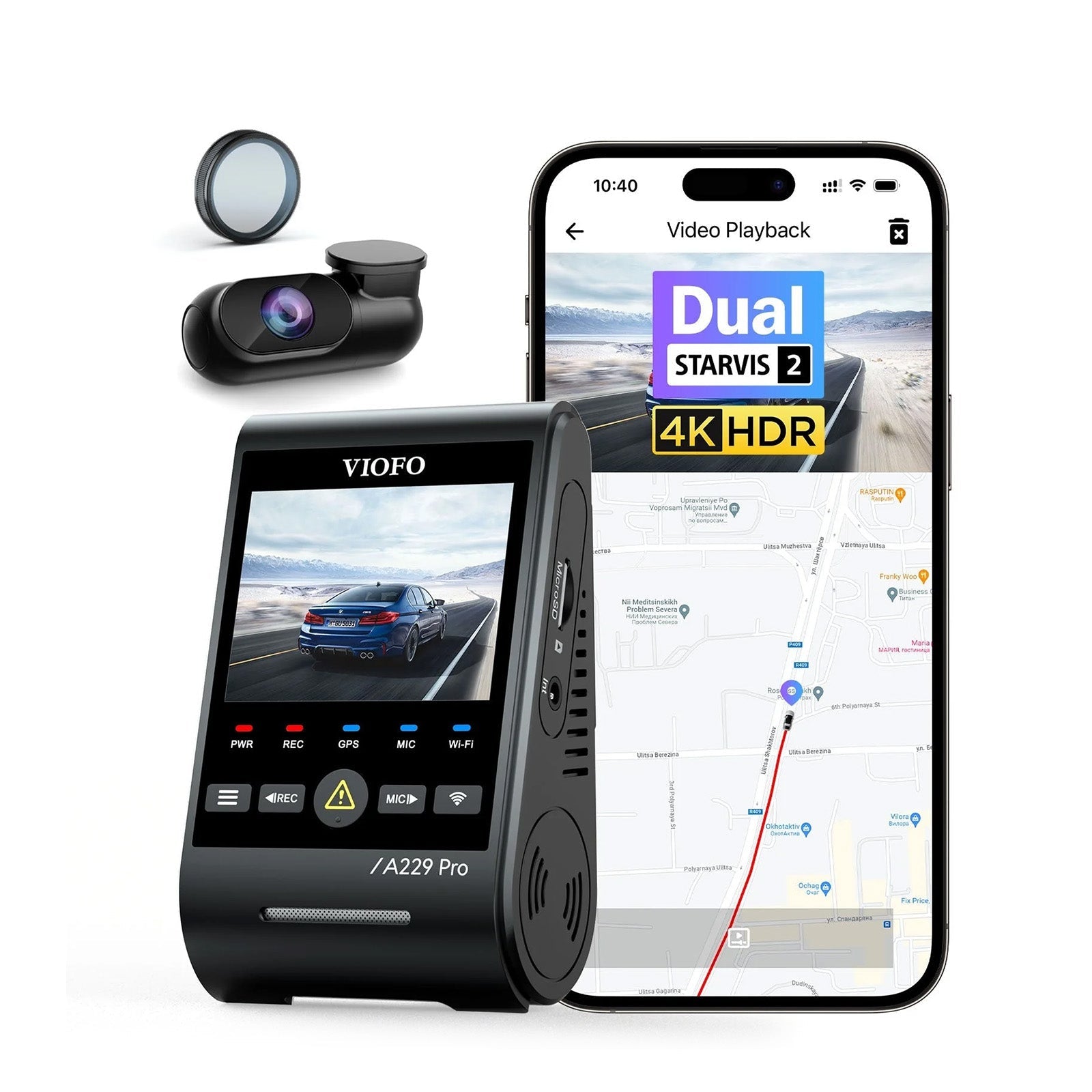
VIOFO A229 Pro 2CH
gearnudge.com
- Best if
- buyers comparing premium front/rear evidence specs and STARVIS 2-style sensor claims
- Avoid if
- you want this article's mirror-vs-wedge decision only
- Evidence
- included as a cautious comparison point; evidence here is narrower than for Wolfbox and Redtiger
Also note the duplicate buying-family entries in this article:
- The long-name WOLFBOX G900Pro 12MP Smart Rear View Mirror Dash Cam with WiFi and Touch Screen with Exclusive 30-Month Warranty and the WOLFBOX G900 Pro appear to be part of the same Wolfbox mirror-camera buying family in the supplied product set.
- The affiliate Redtiger F77 Dual 4K STARVIS 2 IMX678 Voice Control 5.8GHz High Speed WiFi Dash Cam listing and the official REDTIGER F77 listing appear to refer to the same Redtiger F77 buying family in the supplied product set.
Use the current seller page to confirm bundle contents, warranty language, storage size, hardwire kit inclusion, and return terms before buying.
FAQ and Bottom Line
Common Questions
Is front and rear recording coverage worth it?
Yes, if you want a better record of rear-end hits, tailgating, lane changes, and what happened before and after the main impact. It does not guarantee plate capture.
Can the Wolfbox G900 Pro or Redtiger F77 guarantee readable plates at night?
No. Night plates depend on speed, angle, lighting, glare, reflections, sensor tuning, bitrate, and distance. Treat night plate capture as conditional.
Is parking mode ready out of the box?
Usually no. Basic 12V power is for driving-only recording. Parking mode normally needs hardwire or OBD-II power, plus testing.
Is mirror-style better than a normal dash cam?
Only if you want the digital mirror experience and your vehicle fits it well. A wedge cam is usually more discreet and easier to place independently.
Which is better for evidence handoff?
Wolfbox may be easier if you prefer removable storage. Redtiger uses built-in eMMC, so file transfer depends on USB-C or Wi-Fi.
What should I test after installing either camera?
Test front and rear recording, date and time, clip locking, app or cable transfer, parking mode, G-sensor sensitivity, and playback on another device.
Bottom Line
Choose the Wolfbox G900 Pro if your priority is a mirror-style setup, daily rearview display convenience, and a removable-card evidence workflow.
Choose the Redtiger F77 if your priority is a discreet wedge-style camera and the stronger front/rear 4K sensor claim on paper.
Wait or compare alternatives if you need:
- guaranteed night plate readability
- highly reliable app retrieval
- no-fuss parking mode
- a camera you never have to test
- fast evidence handoff from fixed internal storage
The best dash cam for road incident evidence is not just the one with the highest resolution. It is the one mounted correctly, powered correctly, recording both views, and tested before the day you need the footage.
WOLFBOX G900Pro 12MP Smart Rear View Mirror Dash Cam with WiFi and Touch Screen with Exclusive 30-Month Warranty
gearnudge.com
- Best for
- recommended option from article product list
- Avoid if
- You need confirmed live price or guaranteed fit from this page.
- Evidence
- Listing and source evidence
Redtiger F77 Dual 4K STARVIS 2 IMX678 Voice Control 5.8GHz High Speed WIFI Dash Cam
gearnudge.com
- Best for
- recommended option from article product list
- Avoid if
- You need confirmed live price or guaranteed fit from this page.
- Evidence
- Listing and source evidence
Avoid If / Wait On These
Wait before buying if fit, power, or parking-mode needs are unclear.
- Avoid a front-only setup if rear-end evidence or parking-lot evidence matters to you.
- Wait on a hardwire install if you have not checked fuse access, voltage cutoff, and warranty concerns.
- Skip any model that does not match your daily parking, driving, and clip-download habits.
All Products Covered
Use this as the complete product list for comparison.
References
Sources used while preparing this guide.
Official sources
- F77 FAQ — Redtiger EUeu.redtigercam.com
- General FAQ — Wolfbox Communitycommunity.wolfbox.com
- Redtiger Firmware Pageredtigercam.com
- Wolfbox Firmware Pageau.wolfbox.com
- redtigercam.com (official)redtigercam.com
- rovedashcam.com (official)rovedashcam.com
- viofo.com (official)viofo.com
- wolfbox.com (official)wolfbox.com
User reports
- Facebook Redtiger Community — 'connection failed'facebook.com
- Facebook Redtiger Community — 'fail to add camera'facebook.com
- Facebook Redtiger Community — F7NP not recording in parking modefacebook.com
- Facebook Wolfbox Community — battery pack questionfacebook.com
- Facebook dash cam user discussion on frame ratefacebook.com
- Parasitic Drain from Wolfbox Tri-Cam Mirror (Parking Mode Disabled)bronco6g.com
- Redtiger Discussion Community — Dustin Allen Whitaker postfacebook.com
- Redtiger F77 file corruption follow-updashcamtalk.com
- Redtiger F77 — Version 1 (128GB) Review and Impressions — DT MIdashcamtalk.com
- Redtiger Hard Wire Is Senseless — DashCamTalkdashcamtalk.com
- Wolfbox G900 Pro — Rearview Mirror Dashcam Install/Review — Cybertruck Owners Clubcybertruckownersclub.com
- bronco6g.com (forum)bronco6g.com