Who this is for
You’re parked outside school waiting on pickup, and you’d love to watch Netflix on the factory screen instead of a tiny phone display. An AI box plugs into your car’s existing CarPlay connection and brings Android apps, streaming, and gaming to that screen — no dashboard surgery needed. If that’s what you want, this guide explains which boxes are worth it and what to check before buying.
However, there are two big “gotchas” to keep in mind:
- It is not a CarPlay adder. An AI box works through your car’s existing CarPlay connection. It will not add CarPlay to a car that never had it. If your car only has Bluetooth audio, an AUX input, or USB music playback, a box won’t help. Even if your car has factory Android Auto, it might not be enough.
- Wireless-only cars are out. If your car only supports wireless CarPlay and lacks a physical cable connection option, these boxes won’t work. You can test this right now by plugging your phone into your car with a cable. If CarPlay doesn’t pop up on your screen via the cable, an AI box won’t work either.
Prerequisite compatibility check
Before you spend any money, you need to verify four specific things. Most “it won’t work” complaints actually stem from these simple setup issues.
- Wired CarPlay/Android Auto: Your car must have factory wired CarPlay or Android Auto built-in. The AI box uses this specific protocol to talk to your car.
- The right USB port: Most cars have several USB ports. Usually, only one is actually connected to the CarPlay module. The others might only be for charging your phone or playing music from a thumb drive. Find the “data” port.
- The protocol switch: Your car’s head unit (the screen system) must be set to the correct mode. If your system is stuck in Android Auto mode, it might not see the AI box at all.
- Power supply: Sometimes the car’s USB port doesn’t provide enough juice to run a high-powered box. In these cases, you might need a Y-cable to pull extra power.
How to choose an AI box
Choosing a box comes down to what you plan to do in the car. Do you just want wireless phone connectivity, or do you want to play heavy games?
The most trusted brands you will see in most reviews are CarlinKit, Bruxe, and Exploter (also known as ApplePie).
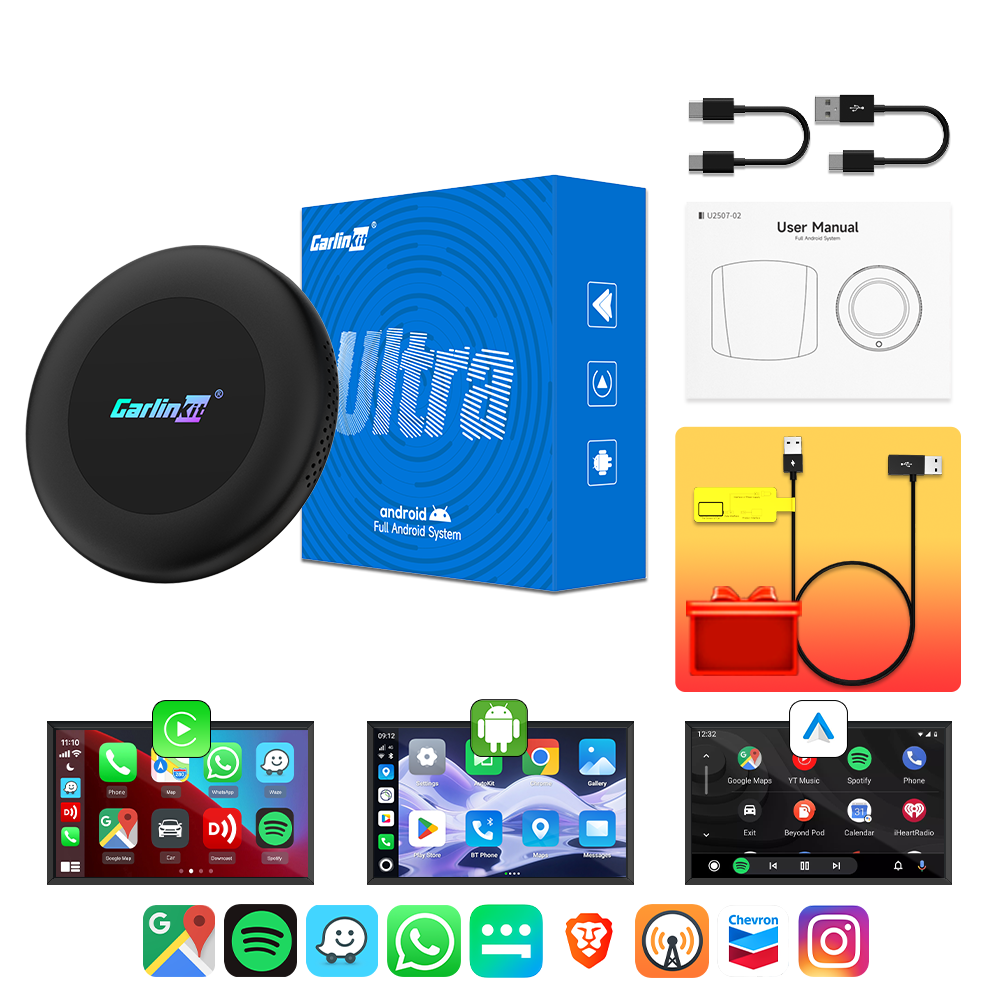
Carlinkit Tbox Ultra 2 Android 15 Wireless CarPlay & Android Auto Car Streaming TV Box
gearnudge.com
- Best for
- Best value AI box for most CarPlay users
- Avoid if
- You need confirmed live price or guaranteed fit from this page.
- Evidence
- Listing and source evidence
- The Smart Value Pick: For most people, the CarlinKit TBox Ultra 2 is the best choice. It balances performance, features, and price better than most other options.
- The Premium Performer: If you want to play games or need the smoothest wireless Android Auto experience, look at the CarlinKit TBox Ultra 3. It has high-end specs like Android 15 and 5G, though some users find the software interface looks a bit dated.
Products and pricing
Prices in this guide are vendor listings as of 2026-08-06 and can change, so confirm the current price on the seller page before you buy.
Prices for these devices usually fall into three tiers. In early 2025, you can expect to pay between $180 and $240 for a standard reliable model, while the fastest high-end models can cost around $360.
| Model | Estimated Price | Best For |
|---|---|---|
| CarlinKit TBox Ultra 2 | $180–$240 | Most users (Best Value) |
| CarlinKit TBox Ultra 3 | ~$259 | Gaming and wireless Android Auto |
| Exploter ApplePie Rocket | ~$360 | Maximum speed (Snapdragon 6490) |
| The Magic Box 3.0 | ~$389 | PCMag’s pick: full Android with the most bonus features; works in most cars, wired CarPlay only |
Car-model exclusion list
No AI box works in every single car. You must check the specific compatibility list for the model you are eyeing before clicking “buy.”
Some boxes have explicit rules. For example, some models require a touchscreen to function and will not work in vehicles without one — check the product list before you buy. Additionally, some products explicitly state they are not compatible with BMW or Tesla vehicles. Always run that cable test with your phone first to ensure your car has the necessary wired CarPlay foundation.
Bluetooth and Wi-Fi activation pitfalls
If you get your box plugged in but it won’t connect, you are likely hitting one of two common technical snags.
The Bluetooth Conflict If your phone is already paired to your car’s original Bluetooth, the car might keep trying to use its factory interface instead of switching to the AI box. To fix this, delete your phone from the car’s Bluetooth list and delete the car from your phone’s Bluetooth list. Then, pair your phone only to the AI box.
The Wi-Fi Confusion The AI box uses its own Wi-Fi antenna to send data to your phone. Turn the box’s own Wi-Fi network off during pairing so its antenna can carry data to your phone. Also, be careful with phone hotspots; using a phone hotspot can create a channel conflict, so it is better to get your internet from another source.
Setup and plug-and-play reality
The setup is actually very simple for most people. Once you plug it into a wired-CarPlay car, the box boots up, detects your screen’s resolution automatically, and converts your wired connection into wireless CarPlay and wireless Android Auto.
However, you should be aware of one physical limitation: audio/video lag. It is very common for the audio to lag slightly behind the video. This isn’t just a problem with cheap boxes; it happens on almost all AI boxes because of how they communicate with factory screens. It is the most common real-world flaw you will encounter.
Research limitations and FAQ
Please note that the rankings and prices mentioned here are based on specific hands-on reviews and vendor documents. There isn’t a single universal consensus across every tech outlet. Some sources, like PCMag, note that their recommendations are limited to “most” cars with wired CarPlay, not every single vehicle on the road.
FAQ
Why doesn’t my box work? Check the big four: Do you have wired CarPlay? Are you in the right USB port? Is your protocol switch set correctly? Do you need a Y-cable for more power?
Will it work in my BMW, Tesla, or a car without a touchscreen? Check the product’s exclusion list. Many boxes explicitly exclude BMW and Tesla, and most require a touchscreen to work.
My car has wireless-only CarPlay. Can I use this? No. You must test your car with a physical cable first to ensure it has a wired CarPlay connection.
Does this add CarPlay to my car? No. It only works if your car already has a wired CarPlay system.