You do not want to find out after a crash that your camera only caught the bumper in front of you, not the car that hit you from behind. The best dash cam setup is not always the one with the biggest resolution number. It is the one that records the angle you actually need, saves the clip, and does not create new problems with battery drain or missing footage.
Quick Answer
For most drivers who want useful road incident proof, front-and-rear coverage is the safest starting point. The front camera shows what happened ahead. The rear camera adds context for rear-end hits, tailgating, lane changes, and hit-and-run situations.
Front-only can still work if you mainly want basic forward proof. But it may miss what happened behind you.
Choose your setup this way:
| If you need to prove… | Start with… | Watch out for… |
|---|---|---|
| A disputed crash ahead | Front camera, or front + rear if budget allows | Plate detail is never guaranteed |
| Rear-end hits, tailgating, lane-change disputes | Front + rear | Rear footage can be weaker through tint, glare, or poor placement |
| Rideshare, passengers, cabin activity | 3-channel front/cabin/rear | More wiring, more storage use, and privacy considerations |
| Side context or parking-lot security | 4-channel or 360-style coverage | More complexity, more power demand, and possible detail tradeoffs |
| A rearview screen or mirror display | Mirror-style dash cam | Mirror fit, rear-camera routing, and screen glare |
| Parked-car recording | Any coverage type plus the right power setup | Hardwiring, low-voltage cutoff, battery health, commute length, and SD card behavior |
What Front, Rear, and Multi-Channel Coverage Can and Cannot Prove
A dash cam is evidence, not magic. It can show timing, position, movement, signals, road conditions, and impact direction. But it cannot always read plates, see around obstacles, or fix a bad camera angle.
Front camera coverage
A front camera captures what happens ahead of your car.
It is useful for:
- Sudden stops
- Cut-offs
- Red-light or stop-sign disputes
- Road debris
- Forward impacts
- Lane position and traffic-light context
The limit is obvious: it may not prove what happened behind you. If someone rear-ends you, tailgates you, or clips you from behind during a lane change, front-only footage may leave out the key movement.
Rear camera coverage
A rear camera helps fill that gap.
It is useful for:
- Rear-end crashes
- Tailgating
- Lane-change context
- Vehicles approaching from behind
- Hit-and-run details after contact
Rear footage can be less clear than front footage. Rear glass tint, defroster lines, glare, dirt, night lighting, and camera placement all matter.
Cabin camera coverage
A cabin camera points inside the vehicle.
It can help if you drive rideshare, carry passengers, manage a fleet, or want interior context. It may also catch some activity through side windows.
But it is not the same as true side coverage. It also raises privacy questions, especially if passengers or family members are recorded.
4-channel and 360-style coverage
A 4-channel or 360-style system gives you more context around the car. That can help in tight parking lots, side-swipe disputes, vandalism concerns, or security-style use.
The tradeoff is complexity. More cameras usually mean more wiring, more storage use, more setup checks, and more power planning.
Wider coverage can also shrink small details. A wide view may show more of the scene, but a distant license plate can be harder to read.
Mirror-style dash cams
A mirror dash cam clips over or replaces the rearview mirror area with a screen. It usually includes a rear camera routed toward the back of the vehicle.
This can be useful if you want a large rear display or backup-camera style view. But it is not automatically better than a standard windshield dash cam.
Check:
- Mirror size and fit
- Whether the screen blocks your normal mirror use
- Rear-camera cable routing
- Rear-camera placement
- Glare on the mirror display
- Whether your vehicle already has mirror sensors or built-in features
Plate readability is never guaranteed
A 4K label does not mean every license plate will be readable.
Plate detail depends on:
- Speed
- Angle
- Distance
- Glare
- Headlight bloom
- Dirty glass
- Windshield reflections
- Night lighting
- Lens view
- Rear-camera quality
- Compression and exposure
Clip retrieval matters as much as recording
A useful clip has to survive long enough for you to get it.
After an incident, you should know how to:
- Lock the clip
- Download it through the app
- Remove the memory card
- Use a card reader
- Confirm the file is not overwritten by loop recording
If the app is unreliable or the camera WiFi is hard to connect to, a card-reader workflow may be the safer backup.
Start With the Incident You Need to Prove
Before comparing models, ask one practical question: what are you most worried the camera will miss?
If you mainly need forward crash proof
A strong front camera may be enough if your main concern is what happens ahead of you.
But front-and-rear is still usually more useful for daily driving because many disputes involve movement around or behind the car.
If you worry about rear-end hits or lane-change disputes
Start with front-and-rear.
Rear footage gives you context that a front camera cannot show. It can help show a vehicle following too closely, approaching fast, changing lanes behind you, or leaving after contact.
If you drive rideshare or need cabin context
Consider a 3-channel setup.
A front/cabin/rear system can be useful for rideshare, family, fleet, or passenger-related incidents. Just remember that it adds storage use and install complexity.
If you want side or parking-lot context
Consider 4-channel or 360-style coverage.
This makes more sense if you park in tight lots, worry about side contact, or want a security-style view around the car. It may be more than you need for simple road proof.
If you want a rearview screen
Consider mirror-style cameras only if the form factor solves a real problem for you.
They can be useful in vehicles where a large rear display helps. But if you only want basic road evidence, a standard windshield unit may be simpler.
If parked-car recording is the priority
Choose the camera coverage first, then solve the power setup.
A 12V accessory socket is usually a driving-only power source. True parking mode normally needs a hardwire kit, a compatible power setup, or an external battery pack.
If you are comparing setup options for parked recording, see GearNudge’s guide to dash cam battery drain before relying on parking mode overnight.
Use This Buying Order Before Comparing Models
A spec sheet can make every camera look similar. Use this order instead.
1. Choose the coverage
Start here:
- Front-only: basic forward proof
- Front + rear: best default for most road incidents
- Front + cabin + rear: rideshare, passenger, family, or fleet context
- 4-channel / 360-style: side and security-style context
- Mirror-style: rearview screen and mirror-display use
2. Check the footage quality needs
Think about your real driving.
Ask:
- Do you drive mostly at night?
- Are your roads well lit?
- Do you need rear-camera detail through tinted glass?
- Are you expecting readable plates at speed?
- Do you need HDR/WDR-style help for headlights and shadows?
Treat night-vision and HDR claims as helpful features to test, not promises.
3. Check setup fit
Before buying, check the physical install.
Look at:
- Windshield space
- Wiper sweep area
- Rear-camera cable route
- Hatchback or trunk wiring path
- Cabin-camera view
- Mirror size if choosing mirror-style
- Whether cables can be hidden safely
4. Check storage and clip retrieval
Use storage that matches the camera’s requirements.
Also test the workflow:
- Record a short clip
- Lock it
- Retrieve it by app or card reader
- Confirm you can find the file later
If you already have missing recordings or card errors, use GearNudge’s dash cam SD card error troubleshooting before blaming the camera.
5. Check parking-mode power only if you need it
Parking mode is where many battery problems start.
A hardwire kit can enable parking mode by connecting to constant power and switched accessory power. But the kit needs low-voltage cutoff, and the wiring must be correct.
If both the constant and accessory wires see constant power, the camera may never know the car is off. It may keep recording like normal and drain the battery.
Dash Cam Options by Coverage Need
The products below are organized by the job they help with, not by a hard “best overall” ranking. For each one, verify the exact parking-mode accessory, hardwire kit, SD card requirements, and included parts before buying.
Coverage-Based Shortlist
quick examples by coverage type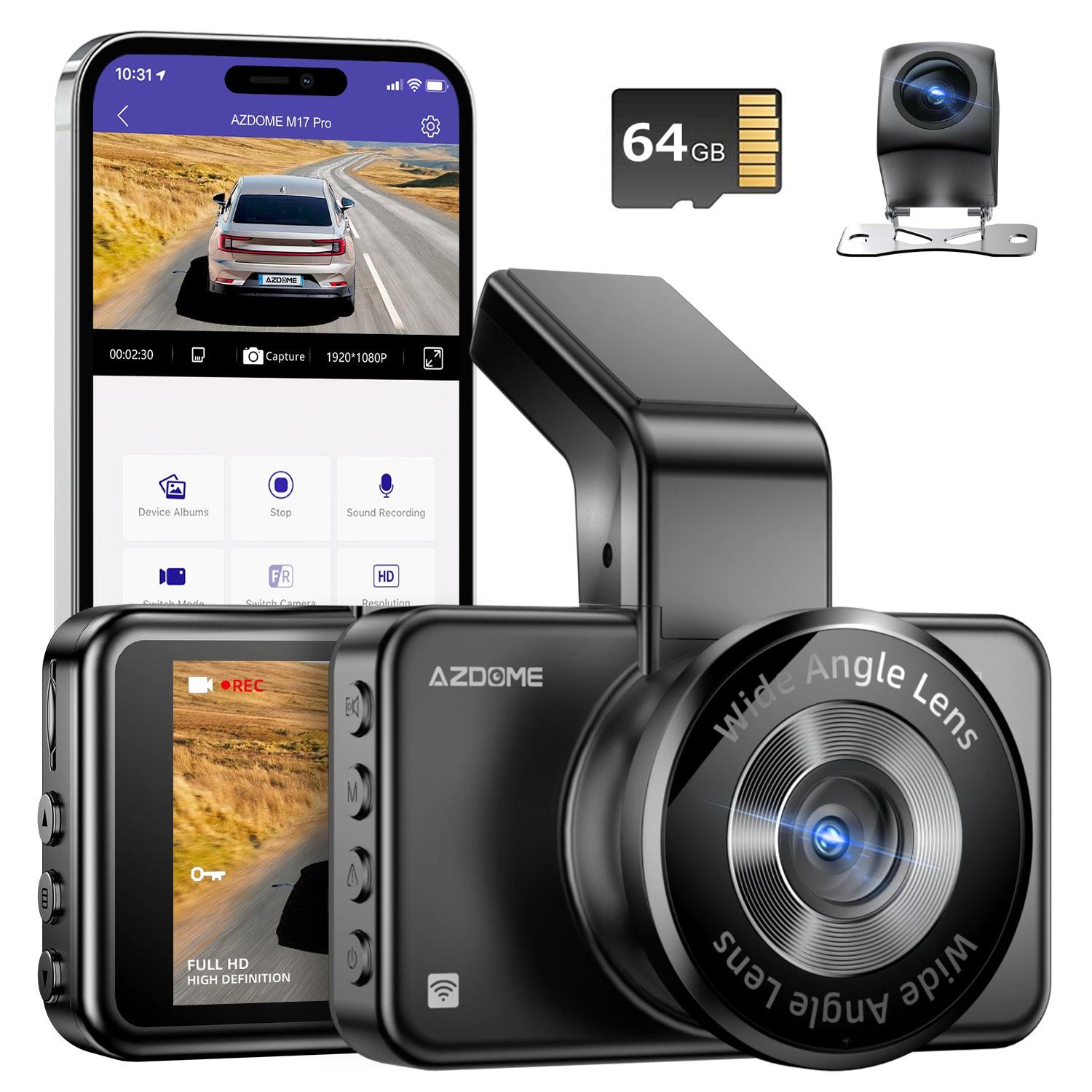
Stealth front + rear
drivers who want a less obvious dual-camera setup
Avoid if: you need cabin or side coverageHigher-spec dual-channel example
front and rear road-proof coverage
Avoid if: you expect guaranteed plate reads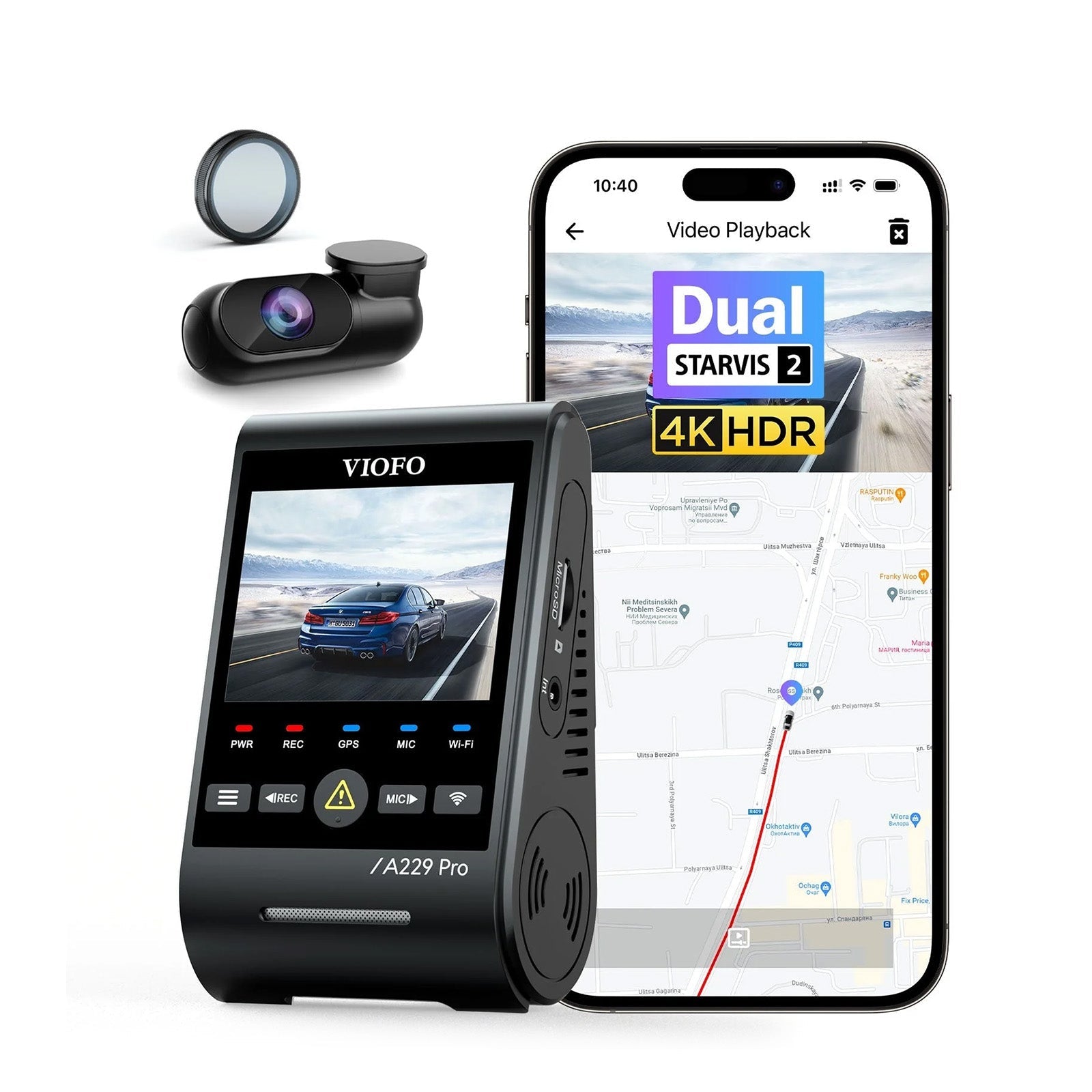
Front + rear road-proof example
drivers focused on two-way incident context
Avoid if: you need cabin footage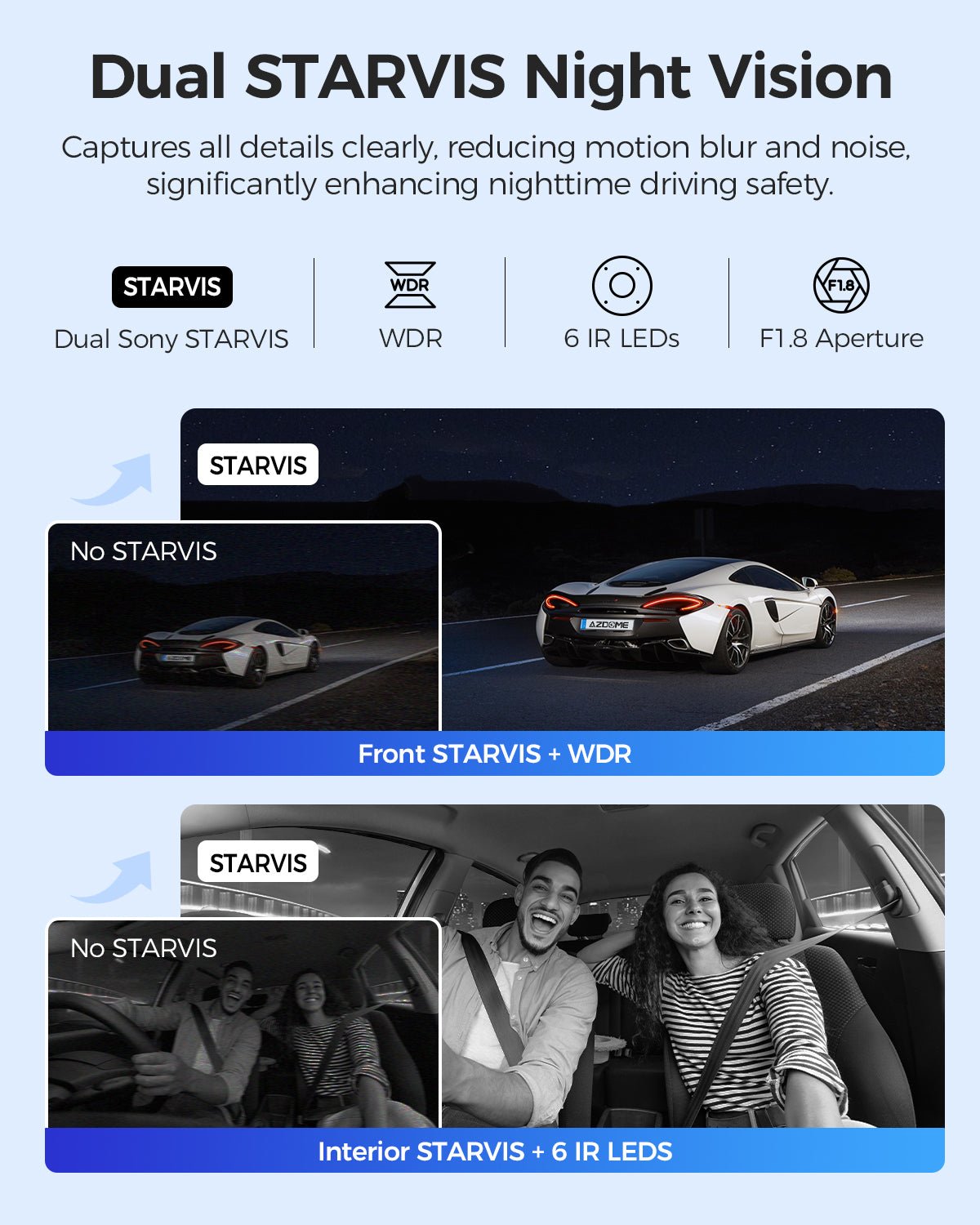
3-channel example
front, cabin, and rear context
Avoid if: you want the simplest install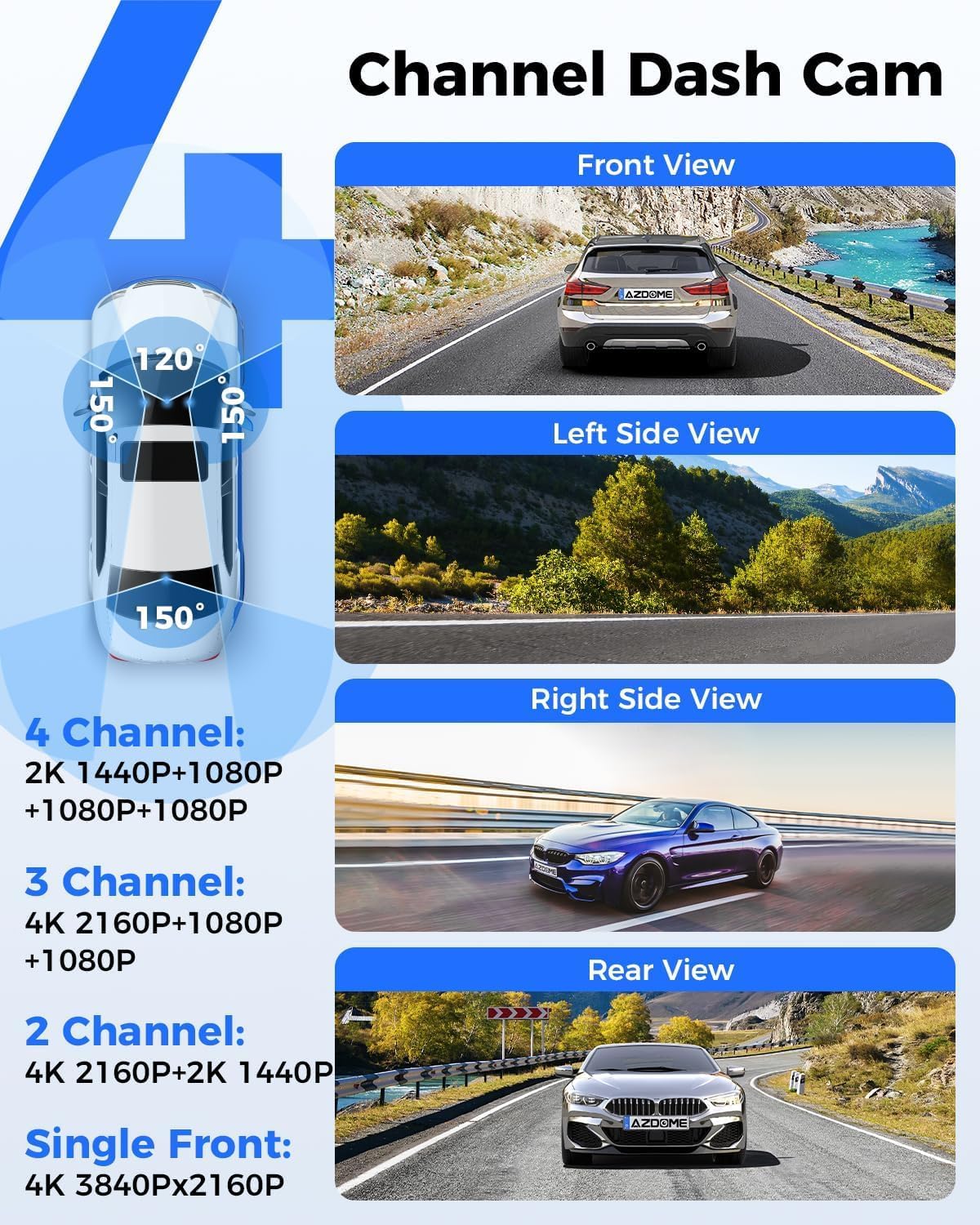
4-channel / 360-style example
broader security-style coverage
Avoid if: you are not ready for wiring, storage, and power complexity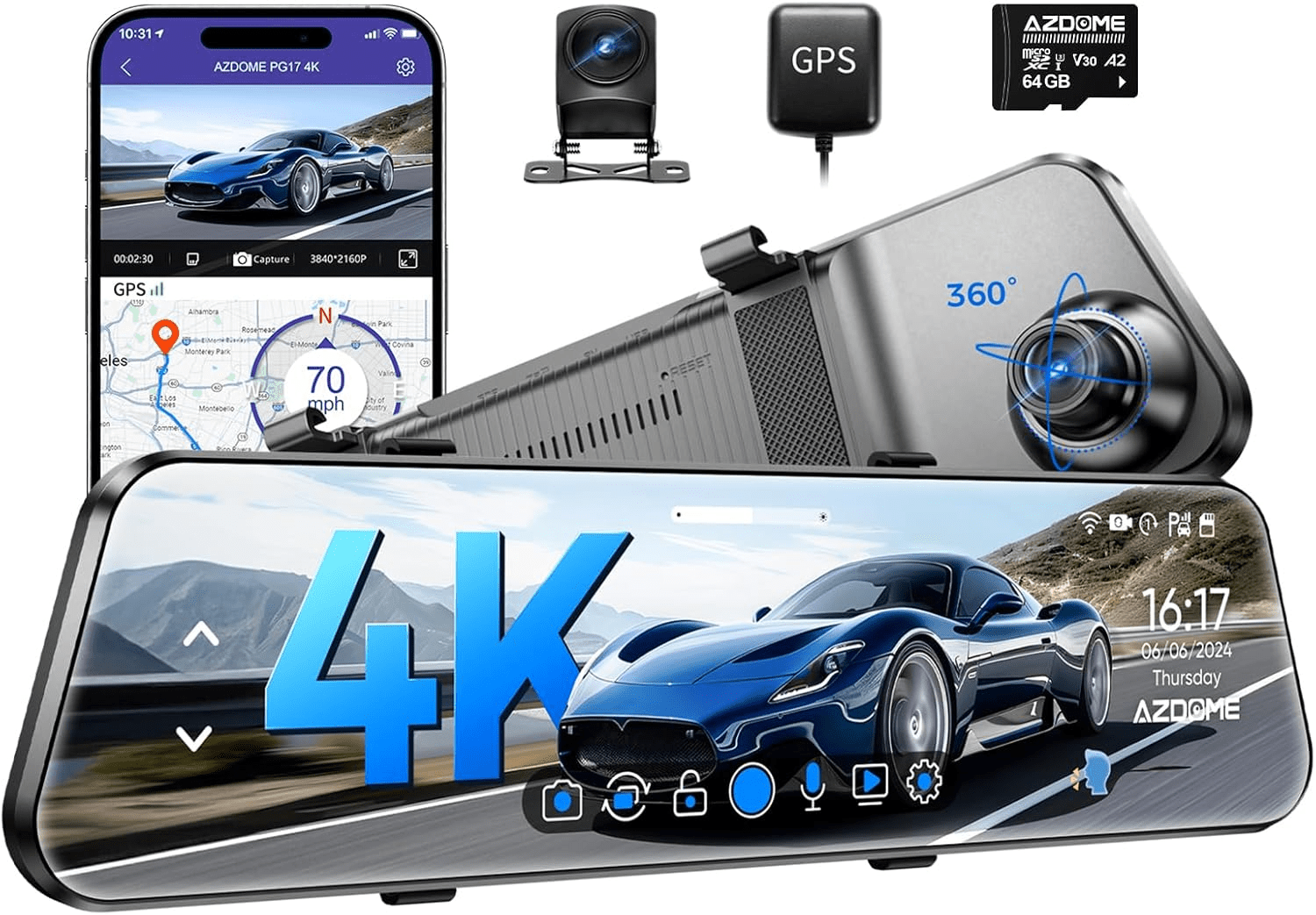
Mirror-style example
drivers who want a mirror-screen rearview setup
Avoid if: mirror fit or rear-camera routing is uncertainFront and rear standard setups
Front-and-rear setups are the best default for most road proof. They cover the direction you are driving and add rear context for impacts, tailgating, and lane-change disputes.
Best fit: daily drivers who want road incident proof without jumping into cabin or 4-channel complexity.
Avoid if: you need passenger footage, side cameras, or a mirror-screen form factor.
Setup or fit risk: rear-camera routing, rear glass tint, glare, SD card capacity, and parking-mode power.
Evidence note: product names and listings support the coverage style, but you still need to verify included accessories and parking-mode requirements.
Front and Rear Dash Cam Examples
compare front and rear options by fit, not absolute ranking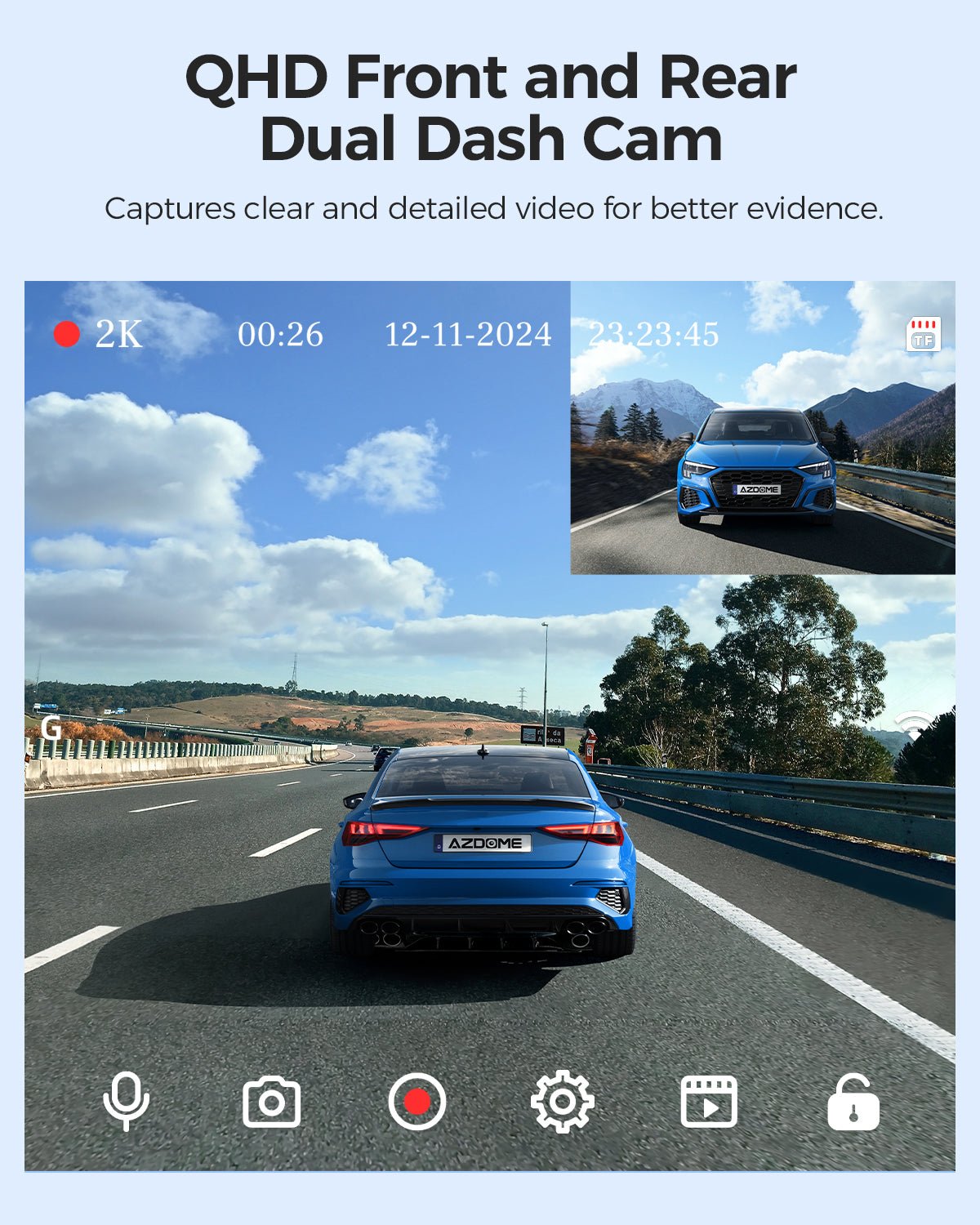
AZDOME M01 Pro
gearnudge.com
- Best if
- front + rear coverage with a screen-based setup
- Avoid if
- you need cabin or side coverage
- Evidence
- Listing and source evidence.
verify parking accessory and SD card requirements
Check price AZDOME M17 Pro
gearnudge.com
- Best if
- a stealth-style front + rear setup
- Avoid if
- you want a larger built-in display
- Evidence
- Listing and source evidence.
verify hardwire and parking-mode needs
Check priceREDTIGER F7NA
gearnudge.com
- Best if
- front + rear road-proof coverage with convenience features named in the listing
- Avoid if
- you need 3-channel cabin footage
- Evidence
- Listing and source evidence.
verify SD card and parking-mode accessory details
Check priceREDTIGER F77
gearnudge.com
- Best if
- drivers prioritizing a higher-spec dual-channel setup
- Avoid if
- you expect guaranteed license-plate capture
- Evidence
- Listing and source evidence.
night and speed still limit detail
Check price VIOFO A229 Pro 2CH
gearnudge.com
- Best if
- front + rear coverage focused on road incidents
- Avoid if
- you need cabin or side context
- Evidence
- Listing and source evidence.
use VIOFO hardwire cutoff information only with compatible kit verification
Check priceCabin and 3-channel-style setups
Choose cabin coverage when what happens inside the car matters. That can include rideshare, family driving, fleet use, or passenger disputes.
A cabin camera is not a substitute for a rear camera. A front/cabin setup may miss what happens directly behind the car unless it also includes rear coverage.
Best fit: rideshare, fleet, family, and drivers who want interior context.
Avoid if: you only need simple road proof and want the easiest install.
Setup or fit risk: camera placement, privacy, night interior lighting, larger storage needs, and more power use.
Evidence note: these products are covered as coverage-form examples. Verify the exact included cameras and parking-mode setup before buying.
Cabin and 3-Channel Examples
show when cabin coverage is useful AZDOME M550 Max
gearnudge.com
- Best if
- front, cabin, and rear context
- Avoid if
- you want the simplest two-camera road setup
- Evidence
- Listing and source evidence.
verify storage and parking-mode requirements
Check price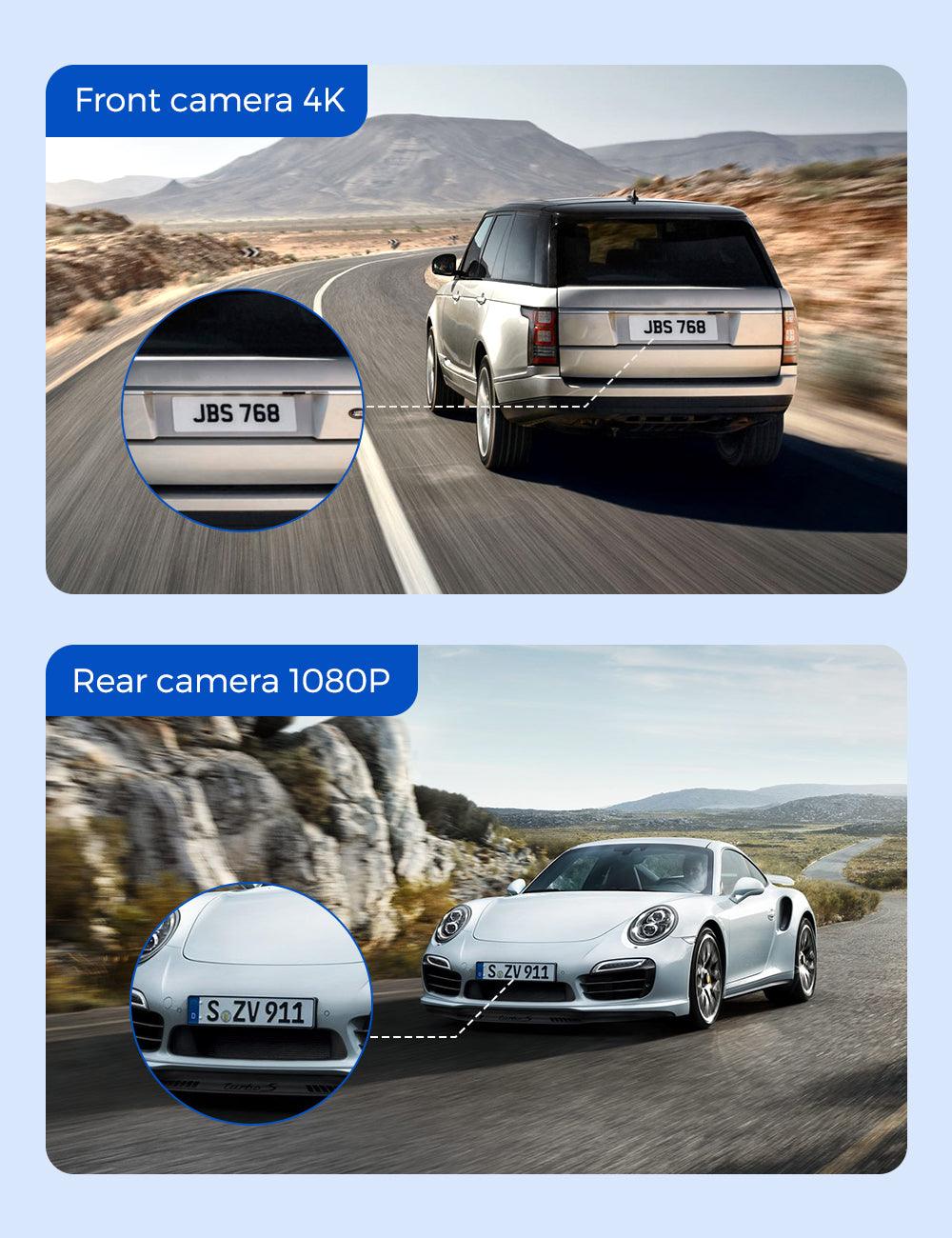
AZDOME M550 Pro
gearnudge.com
- Best if
- drivers who value front + cabin coverage
- Avoid if
- you need rear-road footage as the main priority
- Evidence
- Listing and source evidence.
cabin coverage is not the same as rear coverage
Check priceREDTIGER F17 Elite
gearnudge.com
- Best if
- a 3-channel front/cabin/rear-style setup
- Avoid if
- you are not ready for more wiring and storage use
- Evidence
- Listing and source evidence.
verify install path, card requirements, and parking accessory needs
Check priceMulti-channel and 360-style setups
A multi-channel setup makes sense when side context or parked-car security matters more than keeping the install simple.
This is where you should be especially careful about expectations. More cameras can show more angles, but they can also add more wiring, more storage use, and more power demand.
Best fit: tight parking lots, side-contact concerns, security-style coverage, and drivers who want more context around the vehicle.
Avoid if: you mainly need simple road proof, have limited install patience, or are worried about battery drain.
Setup or fit risk: side-camera placement, cable routing, storage capacity, parking-mode power, and field-of-view detail tradeoffs.
Evidence note: treat these as broad-coverage examples. Do not assume 360-style coverage guarantees readable plates or complete proof.
Multi-Channel and 360-Style Examples
compare broader coverage options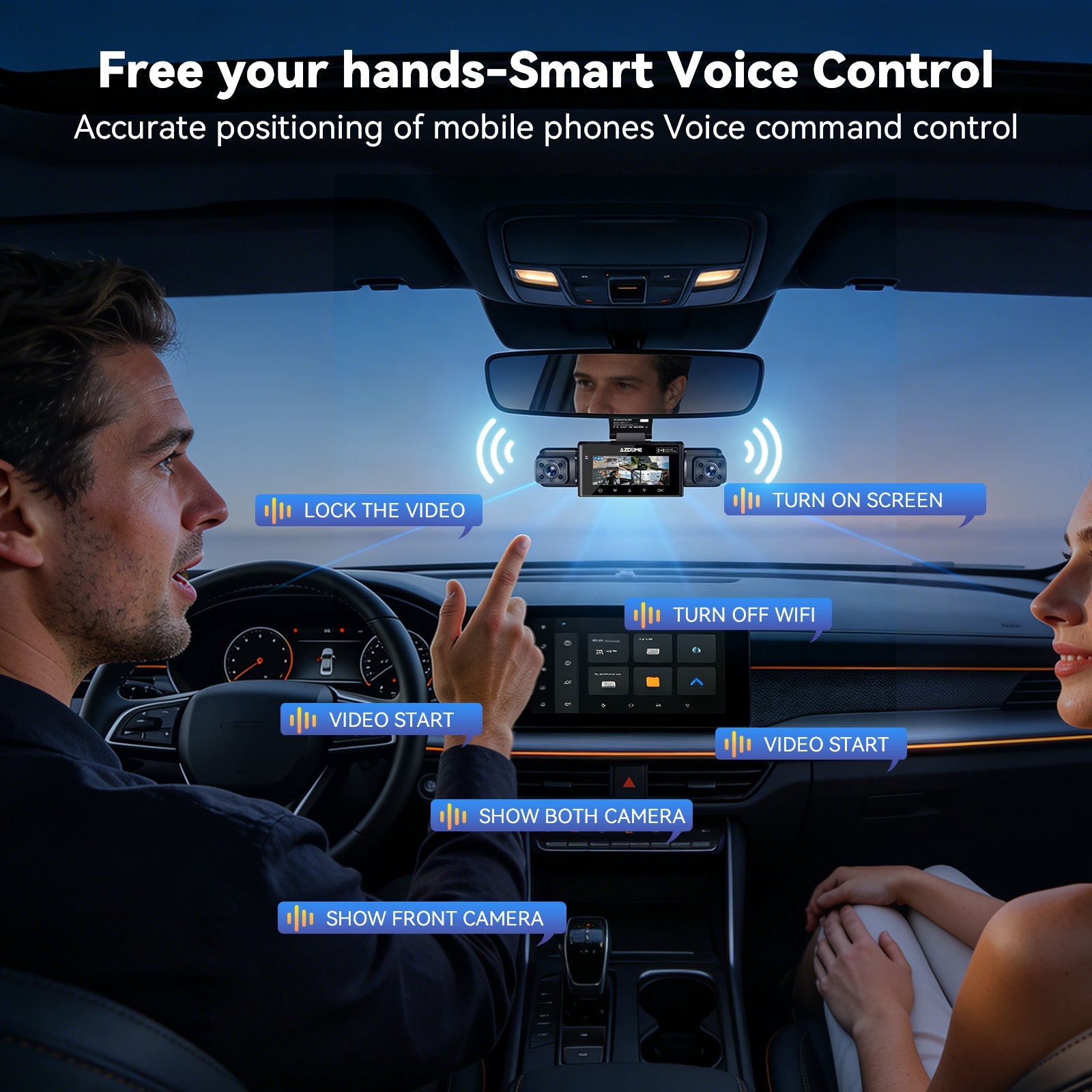
AZDOME M350
gearnudge.com
- Best if
- drivers who want more around-vehicle context than a simple dual camera
- Avoid if
- you want the easiest front + rear install
- Evidence
- Listing and source evidence.
verify channel setup, storage needs, and power requirements
Check price AZDOME S40 (M660)
gearnudge.com
- Best if
- 4-channel security-style coverage
- Avoid if
- you are not prepared for wiring and power management
- Evidence
- Listing and source evidence.
more coverage can mean more setup risk and more footage to manage
Check priceMirror-style setups
Mirror dash cams are worth considering when the mirror-screen form factor is the point.
They can be useful if you want a larger rear display or a rear-camera view integrated into the mirror area. But if you only want road incident proof, do not assume mirror-style is automatically better than a standard windshield camera.
Best fit: drivers who want a mirror-screen rearview setup.
Avoid if: mirror fit is uncertain, rear-camera routing is difficult, or you do not need the screen.
Setup or fit risk: mirror size, screen glare, rear-camera routing, cable visibility, and rear-camera placement.
Evidence note: product names support the mirror-style category. Verify fit before buying.
Mirror-Style Dash Cam Examples
mirror-style options require fit checks AZDOME PG17 Max Ultra
gearnudge.com
- Best if
- drivers who specifically want a mirror-screen setup
- Avoid if
- your mirror fit or rear-camera route is uncertain
- Evidence
- Listing and source evidence.
do not treat mirror-style as automatically better than standard cameras
Check price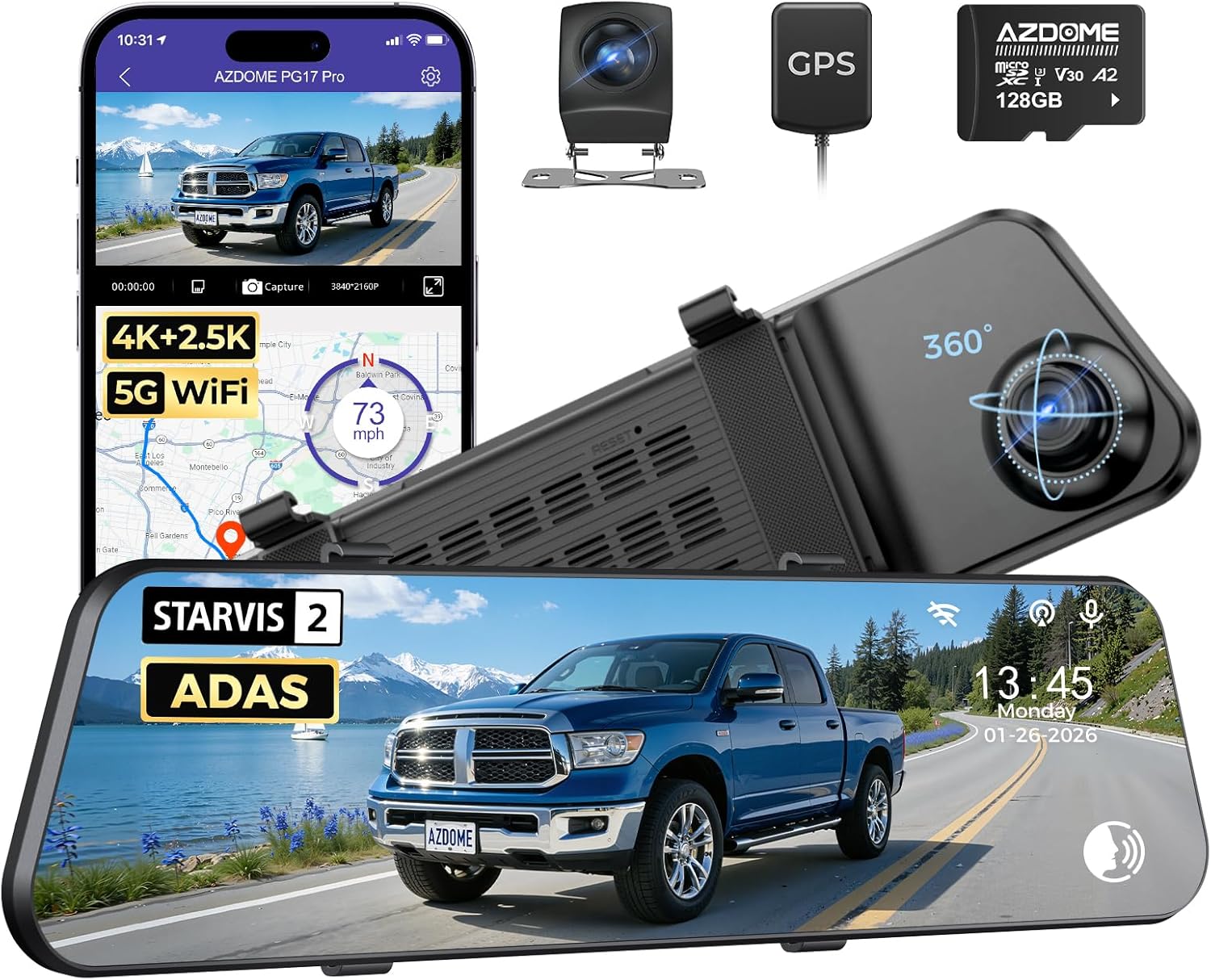
AZDOME PG17 Pro
gearnudge.com
- Best if
- another mirror-style option for screen-based rearview use
- Avoid if
- you only need simple front + rear road evidence
- Evidence
- Listing and source evidence.
verify mirror size, rear-camera placement, and cable path
Check priceWhen to Wait Before Buying or Relying on Parking Mode
Wait before relying on parking mode if you have not checked the power setup.
Battery drain after hardwiring is a real caution signal across different brands and setups. It is not only a cheap-camera problem. But user reports should be treated as caution signals, not proof that every camera or every install will fail.
Wait if the low-voltage cutoff is confusing
Low-voltage cutoff is supposed to shut the camera down before the car battery gets too low. The hard part is choosing the right setting and trusting what the label means.
Some kits offer cutoff choices such as 11.8V, 12.0V, 12.2V, and 12.4V. VIOFO lists those four levels for the HK6 kit and notes a tolerance of about ±0.3V. BlackVue materials discuss higher cutoff choices and warn that going below 12.0V increases the risk of a car that will not start.
As a cautious starting point:
| Cutoff setting | How to think about it |
|---|---|
| 12.4V | Conservative choice for older batteries, cold climates, or when starting reliability matters most |
| 12.2V | Often a practical balance between recording time and battery safety |
| 12.0V | More recording time, but more battery risk; better reserved for healthy batteries and mild conditions |
| 11.8V | Treat cautiously; may fit some AGM contexts, but can be too aggressive for many lead-acid batteries |
Wait if the car battery is old, weak, or cold
A car can start normally and still have too little reserve for overnight parking mode.
Risk goes up when:
- The battery is several years old
- The car sits in cold weather
- You drive short trips
- The vehicle already has normal parasitic draw from alarms, modules, or electronics
- The dash cam has multiple channels running in parking mode
A common 12V flooded lead-acid resting-voltage reference looks like this:
| Resting voltage | Approximate state of charge |
|---|---|
| 12.6V+ | Full or near full |
| 12.4V | Around 75% |
| 12.2V | Around 50% |
| 12.0V | Around 25% |
| 11.8V | Effectively empty for many lead-acid use cases |
If your resting voltage is already low after the car sits for several hours, parking mode has less safe reserve to use.
Wait if your commute is short
Short trips may not replace what parking mode used overnight.
If you park for many hours and only drive a few minutes the next day, the battery can step down over several days. Eventually the low-voltage cutoff may trigger early, or the car may struggle to start.
A simple rule: if parking mode runs all night, a short coffee run or grocery trip may not be enough recharge time. Be more conservative with cutoff settings, reduce parking-mode use, or consider a battery pack if parked protection is truly important.
Wait if you assume time-lapse saves the battery
Do not assume time-lapse, motion detection, or low-bitrate mode will dramatically reduce power.
Some parking modes still keep sensors active. That means the difference in battery drain may be smaller than expected. Truly low-power behavior depends on the specific camera and parking mode design.
Wait if you have not tested storage
A powered-on camera is not the same as a camera saving useful clips.
Before trusting it:
- Format the card in the camera
- Record a test drive
- Lock a test clip
- Retrieve the clip
- Confirm loop recording does not overwrite protected files unexpectedly
Setup Checks That Protect the Evidence After You Choose Coverage
After you pick the right camera angles, the setup has to protect the footage.
Power setup
A 12V accessory socket or USB power setup is usually the simplest option for driving-only recording. In many vehicles, that power turns off with the ignition. That makes it safer for basic use, but it usually will not support true parking mode.
A hardwire kit is the common path to parking mode. It connects to:
- Constant power
- Switched accessory power
- Ground
The switched accessory wire tells the camera when the car is off. If that wire is accidentally connected to constant power, the camera may never enter parking mode.
For newer cars and EVs, also check how the vehicle manages 12V outlets, USB ports, and accessory power. GearNudge has a separate guide to usb-c and 12v outlet checks.
Low-voltage cutoff
Lower cutoff means longer recording but more battery risk.
Higher cutoff means less parking recording time but more starting margin.
Use these as cautious guideposts:
- 12.4V: safer for cold weather, older batteries, or low-risk tolerance
- 12.2V: balanced starting point for many daily drivers
- 12.0V: more aggressive; use only when the battery is healthy and conditions are mild
- 11.8V: treat carefully, especially with standard flooded lead-acid batteries
Low-voltage cutoff should not be your only safety net. Verify the battery condition and the install.
Battery packs
An external dash cam battery pack sits between the car and the camera. It charges while driving and powers the camera when parked. That can isolate the car battery from dash cam drain.
Battery packs make the most sense for:
- Multi-day parking
- Airport parking
- EV owners worried about the 12V auxiliary battery
- Small vehicle batteries
- High-theft parking areas
- Drivers who want parked recording with less car-battery risk
They may be overkill if you only need a few hours or simple overnight coverage.
The BlackboxmyCar PowerCell 8 is an example of this category: it is described as a LiFePO4 battery pack with Bluetooth monitoring and broad dash cam compatibility. Treat that as a battery-pack example, not a guaranteed fix for every parking-mode problem.
Battery packs still need enough driving time to recharge. If you only drive short trips, they may not return to full charge between parking sessions.
Storage and retrieval
Use a card that matches the camera’s requirements. Many dash cams need high-endurance storage because they write constantly.
After installation, do a real test:
- Drive in daylight.
- Drive at night.
- Lock a test clip.
- Download it through the app.
- Remove the card and confirm you can read the files.
- Check whether the rear camera is actually recording.
- Confirm the date and time are correct.
If WiFi or app access is unreliable, keep a card reader in the car or at home.
Temperature
Extreme heat and cold affect dash cam reliability.
Models that use supercapacitors are often preferred in temperature extremes compared with designs that rely on internal lithium-ion batteries. In cold or hot climates, check the camera’s rated operating range and avoid relying on internal battery behavior without testing.
What to Verify Before You Trust the Footage
Before you treat your dash cam as evidence, run a short proof test.
Verify the camera angle
Check:
- The front camera sees enough road, not mostly sky or hood
- The rear camera is not blocked by tint, trim, dirt, or defroster lines
- The cabin camera does not point too high or too low
- The mirror camera does not block normal mirror visibility
- The lens is inside the wiper sweep area where possible
Verify real detail
Do not just check that the video exists.
Pause footage and look for:
- Plate readability at realistic distance
- Glare from headlights
- Windshield reflections
- Rear-camera clarity
- Night exposure
- Whether the field of view captures enough side context
Verify clip saving
Make sure you can save a clip under stress.
Practice:
- Pressing the lock button
- Using voice control if available
- Downloading through the app
- Pulling the card safely
- Finding the correct folder later
Verify parking mode only if you use it
Check:
- The camera enters parking mode after the car shuts off
- It does not keep recording in normal driving mode all night
- Low-voltage cutoff is set conservatively
- The battery resting voltage is healthy
- The camera still saves parked clips correctly
- The car starts normally the next morning
For deeper parking-mode setup help, GearNudge’s guide to buffered parking mode explains how newer vehicles can complicate parked recording.
FAQ
Common Dash Cam Coverage Questions
Is front-and-rear dash cam coverage worth it?
Usually yes for road incident proof. Front footage shows what happened ahead, while rear footage helps with rear-end hits, tailgating, and lane-change context.
Do I need a 3-channel dash cam?
Consider one for rideshare, passengers, family, fleet use, or cabin security. If you only need road proof, front + rear may be simpler.
Are mirror dash cams better than standard dash cams?
Not automatically. Choose mirror-style only if the screen and rearview form factor fit your vehicle and solve a real need.
Can a dash cam always read license plates?
No. Speed, angle, distance, glare, night lighting, lens view, and mounting all affect plate readability.
Does 4K guarantee better evidence?
It can help, but it does not guarantee better proof. Sensor quality, exposure, lens, rear-camera quality, mounting, and lighting still matter.
Will parking mode drain my car battery?
It can if the hardwire install, cutoff setting, battery health, or commute length are wrong. Use low-voltage cutoff and verify the install.
Should I use a battery pack for parking mode?
Consider one for multi-day parking, EV concerns, small batteries, or high-theft areas. It may be overkill for simple overnight coverage.
How do I make sure a crash clip is saved?
Learn the lock and download workflow, use compatible storage, and retrieve important footage before loop recording overwrites it.
Bottom Line
Choose the dash cam by the incident you most need to prove.
For most drivers, that means front + rear first. Choose 3-channel if cabin context matters. Choose 4-channel or 360-style coverage if side/security context matters. Choose mirror-style only if the mirror-screen setup fits your vehicle and your driving needs.
Do not buy by resolution alone. Field of view, angle, night limits, rear-camera placement, storage reliability, and clip retrieval all affect whether the footage is useful.
Parking mode, battery drain, and SD card failures are not the main coverage decision. But they can ruin the evidence if ignored. Before relying on parked recording, verify hardwire wiring, low-voltage cutoff, battery health, commute length, and storage behavior.
AZDOME M01 Pro 3K WiFi Dual Dash Cam | Front & Rear 3\" IPS Screen | ADAS & GPS
gearnudge.com
- Best for
- recommended option from article product list
- Avoid if
- You need confirmed live price or guaranteed fit from this page.
- Evidence
- Listing and source evidence
AZDOME M17 Pro Stealth Dual Dash Cam | 4K Front & 1080P Rear | WiFi 6 & ADAS
gearnudge.com
- Best for
- recommended option from article product list
- Avoid if
- You need confirmed live price or guaranteed fit from this page.
- Evidence
- Listing and source evidence
All Products Covered
Use this as the complete product list for comparison.
References
Sources used while preparing this guide.
Official sources
- 70mai.com (official)70mai.com
- BlackVue Battery Protection Features and Cold Weather Recommendationsforum.blackvue.com
- Viofo Hardwire Kit Voltage Cutoff Settings and Tolerancesupport.viofo.com
- blackboxmycar.com (official)blackboxmycar.com
- media.blackvue.com (official)media.blackvue.com
- thinkware.com (official)thinkware.com
- vantrue.com (official)vantrue.com
- viofo.com (official)viofo.com
- wolfbox.com (official)wolfbox.com
User reports
- What Voltage for Hardwire Kit?dashcamtalk.com
Reviews and guides
- 6 Best Dash Cam Battery Expansion Pack in 2026 - ProofOnWheelsproofonwheels.com
- Dash Cam Hardwire Kit Low Voltage Guide - BestCarCamerabestcarcamera.com
- OBD-II Port or Hardwire for Parking Mode?wolfbox.com
- acciyo.com (guide)acciyo.com
- auto-vox.com (guide)auto-vox.com
- getnexar.com (guide)getnexar.com
- nerdtechy.com (review)nerdtechy.com
- support.viofo.com (guide)support.viofo.com
Other sources
- BNnYY OBD2 to USB-C Power Adapter - Amazon Listingamazon.com
- Can a Dash Cam Drain Your Car Battery?cartruckadvisor.com