Quick answer: where accessories go (and don’t)
You buy a screen-back phone mount for your Tesla Model 3 Highland, then realize the steering wheel blocks a third of the phone and tilting it up blocks your road view — so you take it down the same day. The reliable spots are the back of the center touchscreen (Tesla), dashboard seams, the center console, or beside the rearview mirror for cameras. These positions don’t block your view of the display and controls.
- Keep the steering-wheel sightline clear. Drivers who try screen-attached mounts often find the steering wheel blocks the phone and the phone itself blocks the road.
- Avoid vent faces on most EVs. Tesla’s thin, curved vents reject most standard clips, and on the Hyundai Ioniq 5 or Kia EV6, the vent sits directly under the screen, meaning a vent mount will cover your display.
- For dash cams, mount beside the mirror or camera pod rather than on it. This ensures nothing critical, like autopilot cameras or sensors, is blocked.
- Stay out of the airbag deployment area on the dash. NHTSA recommends keeping at least 10 inches between the air bag cover (center of the steering wheel for drivers, dashboard for front passenger) and occupants.
Who this is for
Use this as your pre-purchase checklist if any of these sound like your car or your shopping process.
- Tesla Model 3 and Model Y owners, especially those driving the 2024 Highland or Juniper models, who worry the steering wheel will block a phone mounted to the screen.
- Hyundai Ioniq 5 owners who found that dash holders or vent mounts worked in other cars but block the infotainment screen in their EV.
- Kia EV6 owners stuck using the built-in phone slot because a vent clip would cover their touchscreen.
- Anyone adding phone mounts, dash cams, or console organizers who wants to skip the trial-and-error of returning products.
How to choose by accessory type
Pick the placement logic first, then the specific product.
- Phone mounts: start with a screen-back mount only if the steering wheel clears the phone in your driving position. If it doesn’t, switch to a dash-seam clip or a console/cup-holder base.
- Phone mounts: avoid designs that hang into the display. Screen-corner clips can shake on the freeway until the phone is unreadable and often cover the Tesla UI, like the regen bar. Instead, look for fold-flat models that tuck behind the display when not in use.
- Dash cams: mount the front camera right next to the rearview mirror or use a mirror-strap mount. Avoid mounting on the dash and stay away from the mirror/camera pod or the vent housing that cools the electronics.
- Console organizers: choose a split-tray design. This allows the top tray to hold small items while the lower section keeps the USB ports underneath free for charging.
- Stability: dash-mounted and cup-holder mounts are typically more secure than vent mounts, which often need readjusting whenever you change the vent direction.
Product options by mounting strategy
Prices in this guide are vendor listings as of 2026-08-11 and can change, so confirm the current price on the seller page before you buy.
Each safe zone has a matching product type and a way to keep your controls visible.
- Fold-flat screen-back magnetic mounts: options like VICSEED (
$44) and Lamicall ($21) fold behind the display when you aren’t using them, so the touchscreen stays fully visible.
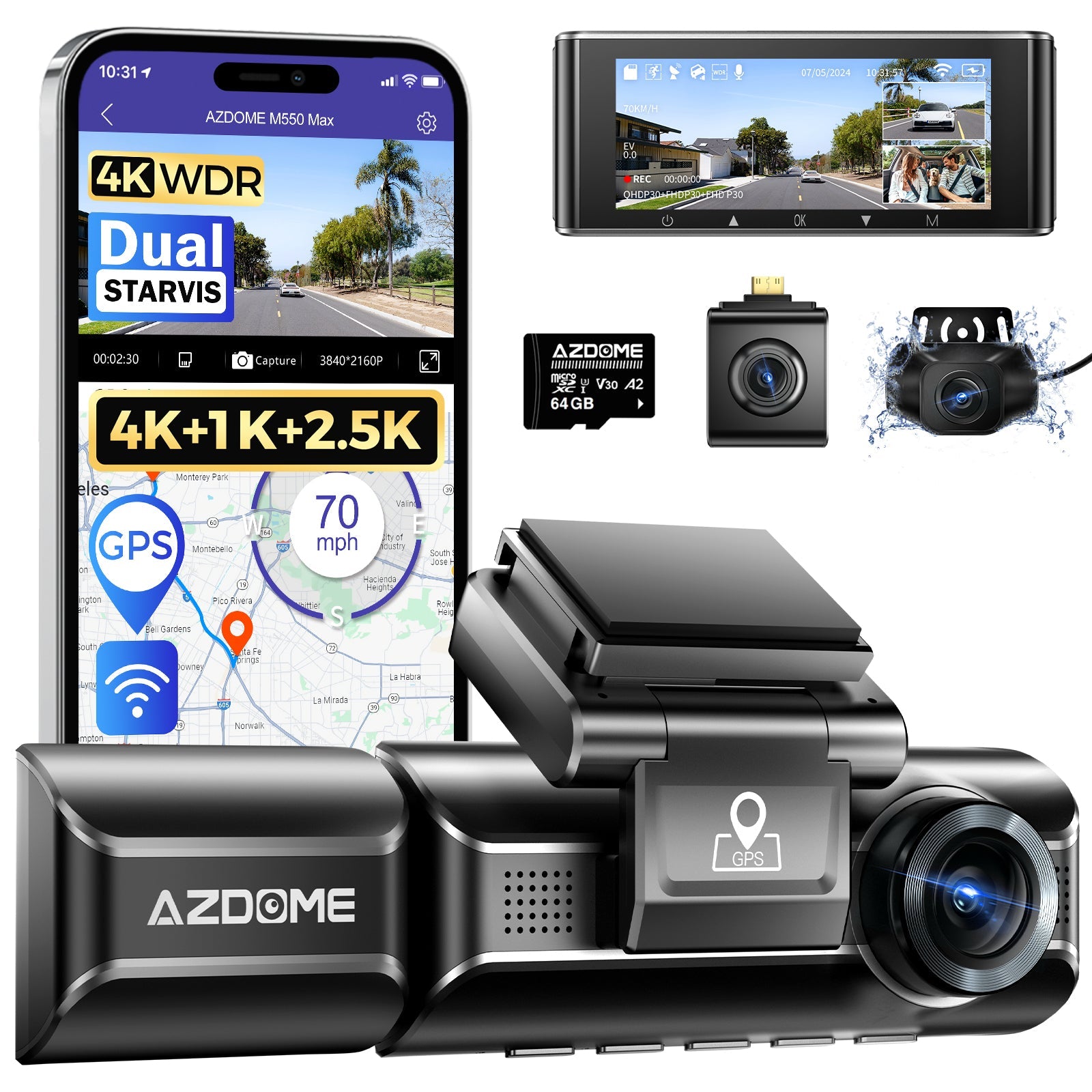
AZDOME M550 Max 3-Channel 4K Dash Cam | Front, Cabin & Rear Night Vision
gearnudge.com
- Best for
- a high-quality dash cam option for EV drivers
- Avoid if
- You need confirmed live price or guaranteed fit from this page.
- Evidence
- Listing and source evidence
- Clip-in dash-seam mounts: these lock into dashboard seams without any drilling. They provide a stable platform within easy reach of the driver without touching the center screen.
- For example, 4-piece TPU sets for the Model 3 Highland or Model Y Juniper can keep your USB ports accessible while organizing your keys and wallet.
- Mirror-adjacent and mirror-strap dash cams: these mount at the top-center of the windshield beside the rearview mirror. This keeps the camera off the dash and away from your center display and physical controls.
- When comparing mounts, look at line-of-sight interference. The best designs keep the phone in view without eating up the display corner you use for speed, camera, or media controls.
Vehicle-specific compatibility checks
These hard constraints determine which mounting strategy works before you spend any money.
- Tesla Model 3/Y (Highland/Juniper): the steering wheel often blocks screen-back phone positions, and tilting the phone up to clear the wheel can block your view of the road. Additionally, Tesla’s thin, “dental-floss” vents reject most standard vent mounts.
- Hyundai Ioniq 5: the vent sits directly under the infotainment screen. This means both vent mounts and many ProClip-style dash holders will cover the display.
- Kia EV6: this model faces the same vent-under-screen conflict, where a vent clip that worked in an older car would block the touchscreen.
- Software updates: keep in mind that UI elements move with software updates. A screen-corner mount that seems fine today might cover critical items, like the gear indicator, after a holiday update.
Safety & install notes
Two rules matter more than the product you choose: airbag clearance and no-drill installs.
- Keep at least 10 inches between the air bag cover and occupants — measured from the center of the steering wheel for the driver and from the dashboard for the front passenger.
- Use clip-in mounts that attach to dashboard seams. This allows for a damage-free installation with no drilling or dismantling required.
- Prefer dash-mounted or cup-holder bases over vent clips for better stability. Vent mounts tend to need constant readjusting every time you move the vent.
Avoid-if guidance
Skip these placements and the regrets they cause.
- Screen-corner MagSafe clips: these can shake badly on the freeway until the phone screen is unreadable.
- Mounts that overlap the phone’s own screen: some designs can cover half of the device’s display, making it hard to use.
- Any mount that bleeds onto the Tesla UI: even a slight overlap can block the regen bar on the left edge of the screen.
- Vent mounts on Teslas: the thin, curved slats are generally incompatible with most clips.
- Vent mounts on Ioniq 5/EV6: the position of the vent means the mount will likely cover the infotainment display.
- Dash pads or accessories in the airbag deployment zone: these violate the 10-inch safety rule.
- Anything in the driver’s sightline: screen mounts can block your view of the road, and dash cams placed over the mirror/camera area can block the vent housing that cools the electronics.
Straight answers to the questions that come up before checkout.
FAQ
Will a screen-back mount block my view?
It can. Screen mounts have been known to hide moving UI elements, like the Tesla gear indicator, after software updates. Fold-flat designs that tuck behind the display are a safer way to avoid covering the screen.
Can I use my old vent mount?
Check the shape and position first. Tesla's thin slats reject most clips, and on the Ioniq 5 or EV6, a vent mount will sit directly under the screen and cover it.
Do console organizers fit Highland/Juniper?
Yes. Dedicated sets, such as the 4-piece TPU console organizer (~$40), are built specifically for the Model 3 Highland and Model Y Juniper.
Is mirror-mounting a dash cam safe?
It is a common, reversible installation. Mirror-strap mounts attach over the original mirror without suction cups or adhesive, and owners prefer mounting beside the mirror pod so nothing critical, like autopilot cameras or sensors, is blocked.