Quick answer
You plug a generic USB hub into your Tesla’s center console and the screen starts flickering, throwing “USB Device Malfunction” every time you start the car. The fix usually isn’t a different hub brand; it’s matching the hub to your exact model and hardware version. On 2024+ Model 3 Highland and 2025+ Model Y Juniper, the console USB-C ports are power-only, and the dashcam/Sentry port is the USB-A port inside the glovebox. This guide tells you exactly which hub to buy for your model and where to plug in storage so Sentry Mode and dashcam actually record.
- For 2024+ Model 3 Highland and 2025+ Model Y Juniper: You need a Hardware 4 (HW4) certified hub, like the Jowua 130W, for the center console. For dashcam or Sentry Mode recording, use the USB-A port inside the glovebox, as the console USB-C ports only provide power and cannot record video.
- For older models (2021–2023 Model 3, 2021–2024 Model Y): You can use hubs like VION or Marnana in the center console. Note that these older hubs will not fit the newer Highland or Juniper designs.
- For Dashcam/Sentry Recording: Use a glovebox hub. This keeps your storage hidden, protects it from heat, and ensures it doesn’t compete for power with your charging phones.
By the end, you’ll know exactly which hub fits your Tesla and where to plug in storage so Sentry Mode and dashcam actually record.
Know your ports first
Before you spend money, you need to know which ports actually do what. Not all USB ports in a Tesla are created equal.
On the newer 2024+ Model 3 Highland, the official manual states the glovebox USB-A port is the designated spot for dashcam and Sentry Mode data. The three USB-C ports in the center console are strictly for charging devices. They do not support video recording.
The same rule applies to the rear ports. On every model tested, the rear USB ports are for charging only. If you want to plug in a music drive or a dashcam, you generally have to look to the front center console or the glovebox.
Keep in mind that port types change with the years. Older Teslas often use USB-A (the rectangular ones) in the console, while newer ones use USB-C (the smaller, rounded ones). Some 2022 models even dropped data capability on the console ports entirely, meaning they only work for charging.
There is some conflicting information online about whether the new Highland/Juniper glovebox port is USB-A or USB-C. However, the official manual and several guides confirm the recording port is the USB-A one.
Who this is for (and who should skip)
A hub is a great tool, but it isn’t for everyone.
You should get a hub if:
- You use Dashcam/Sentry Mode: A glovebox hub is perfect here. It keeps your recording device in a dedicated storage spot where it won’t get bumped or overheat.
- You need to charge many things: If you have phones, game controllers, and accessories all needing juice in the console, a console hub is a lifesaver.
- You use USB drives for music: You will need a hub that connects to a data-capable port (like the glovebox or older console ports) to play your files.
You should skip a hub if:
- You only charge one device: The ports built into your Tesla are already designed to handle a single device perfectly well. Adding a hub just adds extra bulk.
How to choose: decision factors
Choosing the right hub involves more than just looking at the price.
1. Hardware Compatibility If you have a 2024+ Highland or 2025+ Juniper, you need a Hardware 4 (HW4) certified hub. Using an uncertified hub can cause conflicts with your car’s infotainment system.
2. Total Power Budget Check how much power the hub can actually push out. For example, the Jowua 130W provides a massive 130W total across its ports. In contrast, a VION hub offers a total of 54W. If you are charging high-powered laptops or multiple fast-charging phones, power budget is everything.
3. Avoid “Smart” Errors Generic hubs often have a “microcontroller” (a tiny computer chip inside) that can confuse the Tesla. This leads to screen freezes or “USB Device Not Supported” errors. Tesla-specific hubs are designed without these chips to keep your screen running smoothly.
4. Heat Management The center console is a very hot place in the sun. Surface temperatures can hit 68–72°C. Since most dashcams shut down around 75°C, avoid putting your recording devices in the console during summer.
The official Tesla manual warns against using USB hubs because they can make devices unchargeable or unrecognized. To avoid this, stick to Tesla-specific hubs that don’t use complex internal firmware.
Product options compared
For the newest models (Highland/Juniper):
- Jowua 130W LED Hub: This is the Editor’s Choice for the 2024+ Model 3 and 2025+ Model Y. It is HW4-certified and delivers 130W total power. It features a slim design that wedges into the cigarette lighter area. Note that these ports are for power only.
- EVBASE Center Console Hub: A high-end option for Premium/Performance trims. It includes two 37-inch retractable cables (60W USB-C and 60W Lightning), a wireless charging pad, and even an aromatherapy holder. It is not compatible with Standard trims.
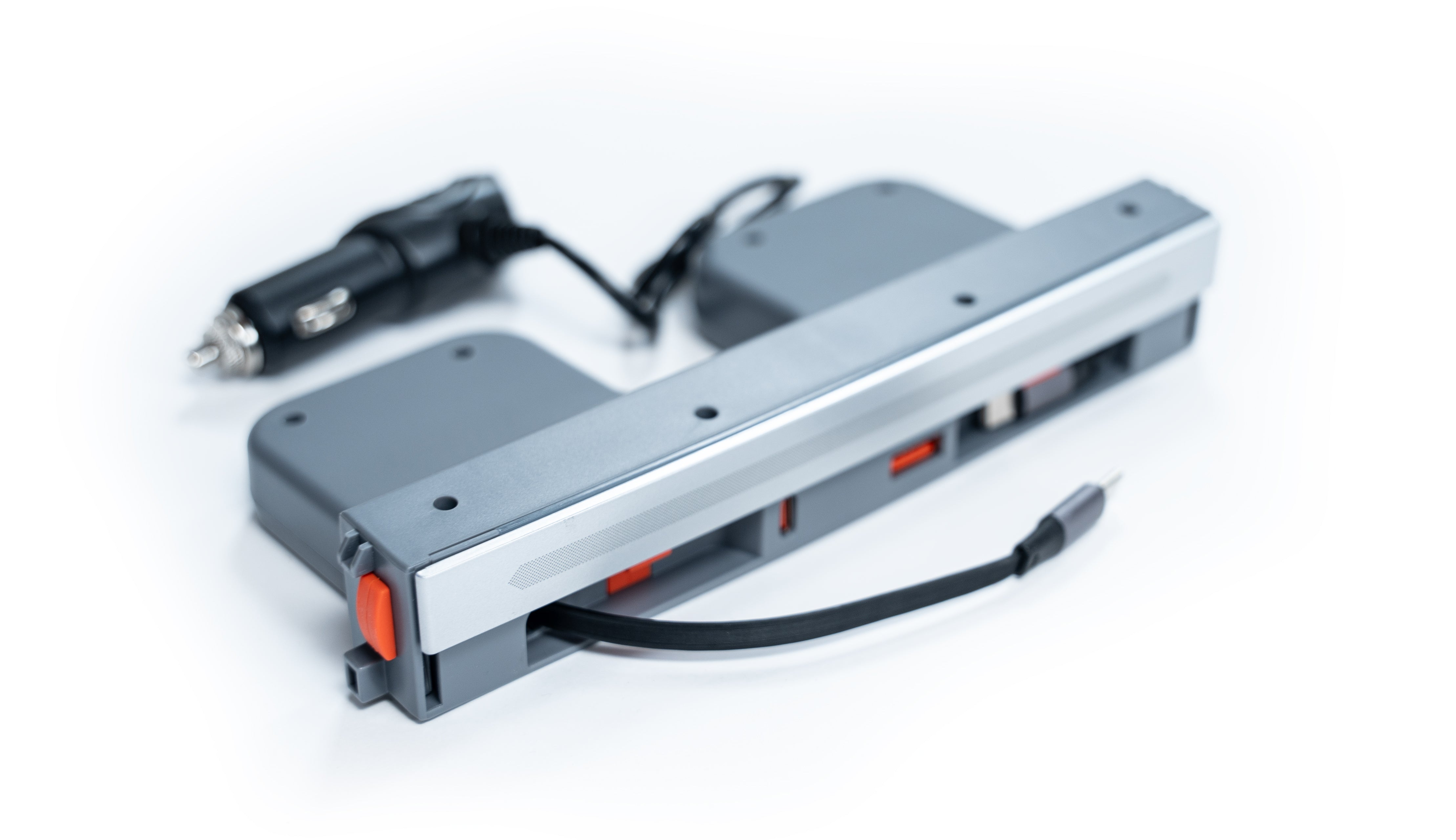
USB-Hub für die Mittelkonsole des Model Y Juniper/3 Higland
gearnudge.com
- Best for
- A center-console hub option for 2024+ Model 3 Highland and 2025+ Model Y Juniper
- Avoid if
- You need confirmed live price or guaranteed fit from this page.
- Evidence
- Listing and source evidence
For 2021–2023 Model 3 and 2021–2024 Model Y:
- VION Center Console Hub: A budget choice at $25.00 (down from $39.00). It splits the Tesla’s power so one port stays dedicated at 27W while the others share the rest. It fits 2021–2023 Model 3 and 2021–2024 Model Y, and does not fit 2024+ Model 3 (Highland) or 2025+ Model Y (Juniper).
- Marnana Hub: Designed for 2021–2022 Model 3/Y, this hub is waterproof and has an auto-off light.
For Dashcam/Sentry Recording:
- Jowua Glovebox 3-Port Hub + 1TB SSD: Jowua markets this glovebox combo specifically as a dashcam/Sentry recording platform. It extends your glovebox slots so you can connect multiple USB devices, keeping storage hidden and secure.
Compatibility checklist before purchase
Before you hit “buy,” run through this list to make sure you won’t have to deal with a return:
- Check your Model and Trim: Some hubs (like EVBASE) only work with Premium or Performance trims.
- Check your Year/Hardware: Do you have a Highland or Juniper? If so, ensure the hub is HW4-certified.
- Identify your Goal: Do you need data (for a dashcam or music) or just power (for charging)? Console hubs on new models are power-only.
- Verify Port Types: Does your car use USB-A or USB-C in the console?
- Review the Return Policy: Fitment issues between different Tesla years are common, so make sure you can send it back if it doesn’t fit.
Setup and use notes
When you get your hub, keep these practical tips in mind:
- Clean Dashcam Install: If you use a glovebox hub, route the cables neatly inside the compartment. This keeps the wiring hidden and gives you easy access to the drive.
- Watch the Heat: If you are driving in extreme heat, try not to leave expensive SSDs or dashcams sitting in the center console.
- Cable Management: Some hubs, like the Jowua, are “low-profile” and tuck away into the cigarette lighter cavity. Others, like the EVBASE, use retractable cables to keep the console from looking cluttered.
Avoid-if guidance
Do not buy a hub if:
- You are trying to plug a dashcam or music drive into the center console of a 2024+ Highland or 2025+ Juniper. It will not work because those ports are for charging only.
- You have a new Highland/Juniper but are buying a “generic” or uncertified HW4 hub. You risk your screen flickering or the car failing to recognize your devices.
- You use an NTFS formatted drive for your dashcam. Tesla requires exFAT, MS-DOS FAT, ext3, or ext4. NTFS is not supported.
FAQ
Is the glovebox port USB-A or USB-C on the new models?
The official Tesla manual and reliable guides like tslna state the recording port in the glovebox is USB-A.
Why does the manual warn against using hubs?
Tesla warns that connecting multiple devices through a hub can cause them to become unrecognized by the media player, Sentry Mode, or the dashcam. Using a Tesla-specific, firmware-free hub helps prevent this.
Can I use the rear USB ports for my dashcam?
No. On all models, the rear USB ports are for charging only and do not support data.
What are the minimum requirements for a dashcam drive?
You need at least 64 GB of storage, a sustained write speed of at least 4 MB/s, and the drive must be formatted as exFAT, MS-DOS FAT, ext3, or ext4.