Is a dash cam worth it for your situation
You come back to your car in a shared lot and find a fresh dent, a crumpled bumper, or a broken taillight — and no note. A dash cam with proper parking mode can pay for itself the first time someone hits you and drives off, which is exactly why the answer is yes for anyone who parks on the street, in shared lots, or commutes through heavy traffic.
Installers see this play out all the time: dash cam installer Essell Auto says the majority of its submitted incident clips come from parking mode, and in one case a Thinkware F200 PRO caught the at-fault vehicle’s license plate during a hit-and-run, saving the owner an insurance deductible.
In another real-world case, a BlackVue user captured a hit-and-run on his neighbor’s parked van using parking surveillance powered by an extra battery, while his own car stayed stationary. The footage let the neighbor identify the driver and recover repair costs.
You should also be careful about how the camera triggers. A camera that only starts recording after it feels an impact might miss the most important seconds. Without buffered parking mode, you might end up with a useless clip of the aftermath instead of the footage of the car actually hitting you.
The evidence specs that actually matter
The specs that win cases are the ones that capture readable plates in the seconds before, during, and after an incident, whether it is day or night. In practice, that comes down to a true 4K front sensor for zooming in and reading plates, a high-quality night sensor for after-dark captures, buffered parking mode for the pre-impact frames, and heat resilience so the camera keeps recording when your car sits in the sun.
- True 4K Resolution: A true 4K front camera gives you the pixel density needed to zoom in and read license plates of moving vehicles. The strongest technical argument for it, according to a 4K dash cam forensics breakdown, is that 4K allows investigators to apply a 20% to 30% digital crop to the extreme edges of the video frame while retaining the equivalent pixel density of a native 1080p image.
- Sony STARVIS 2 (IMX678): Independent and hands-on tests cite this sensor as the current gold standard for true 4K dash cams, and it separates premium 4K cameras from cheap no-name units in image quality at twilight and in darkness.
- Nighttime Plate Capture: This is a decisive spec. In a hands-on test, the IMX678 STARVIS 2 sensor captured plates from a moving car after dark.
- Optical Aids: A fast aperture lens, HDR, and a CPL filter work together. A CPL filter is especially helpful because it reduces windshield glare that can ruin a capture, and HDR keeps plates readable in mixed lighting.
- Buffered Parking Mode: This feature continuously writes to a “ring buffer” and saves the 15–30 seconds before a trigger event. This ensures you get the pre-impact frames containing the fleeing vehicle’s plate instead of a useless video of the car already driving away.
- Heat Resilience: Independent thermal testing shows supercapacitor dash cams keep recording at 85°C, whereas lithium-ion batteries degrade at 50–55°C and fail completely above 70°C.
Two-channel configurations
Prices in this guide are vendor listings as of 2026-08-09 and can change, so confirm the current price on the seller page before you buy.
A front and rear setup is the standard for evidence. It covers the strike zone ahead of you and catches drivers who rear-end or sideswipe you from behind.
The premium tier is led by the Viofo A229 Pro 2CH. It features 4K front and 2K rear video, a CPL filter, and a supercapacitor. In one published group test, it earned an 85% top score for its ability to provide excellent image quality at twilight and in the dark.
For a budget tier, the Rove R2-4K Dual Pro was named Best Budget Dash Cam by topchoicefor.com (March 2026) at $149, with dual STARVIS 2 sensors, a CPL filter, and a 128GB SD card included. TechGearLab’s lead tester called the predecessor model “what I’ll be personally using in my daily driver,” and reviewers note license plates two or three vehicles ahead can be read from a paused frame, with STARVIS 2 and HDR keeping plates readable at night more often than non-STARVIS sensors.
Whatever tier you choose, make sure it supports buffered parking mode. This ensures you get the whole story of an incident rather than just seeing the car driving away.
Multi-camera setups for cabin coverage
You might want to add a cabin channel if you carry passengers, drive for rideshare, or want to document what happens inside the car during a collision.
The Vantrue N4 Pro is a top-rated choice for this. It provides 4K front, 1080p interior, and 1080p rear coverage. Its full-color IR cabin view is highly regarded for its clarity.
If you want a third lens at a lower price, the AZDOME M550 Max offers a 4K front, 1080p cabin, and 2.5K rear view. It uses dual Sony STARVIS sensors and six IR LEDs for night vision. It is built with a supercapacitor that withstands temperatures from -14°F to 158°F.
For a two-channel alternative that still records the cabin, the AZDOME M550 Pro pairs a 4K front camera with a 1080p IR cabin view. It is a street-friendly option that includes collision detection and time-lapse parking modes.
If you want multi-angle coverage but don’t need to see inside the car, the AZDOME M01 Pro is a budget-friendly front and rear pair. It features an IP68 weatherproof rear camera for exterior mounting and includes built-in ADAS alerts.
Mirror dash cams and form-factor variants
If you prefer a clean windshield, you can look at mirror-replacement or “lipstick-style” stealth units. These trade a bit of convenience for a more discreet look.
A 12-inch mirror replacement, such as the AZDOME PG17 Pro, delivers true 4K front and 2.5K rear video. It uses the Sony IMX678 STARVIS 2 sensor and features a touchscreen display and 5-second pre-recording.
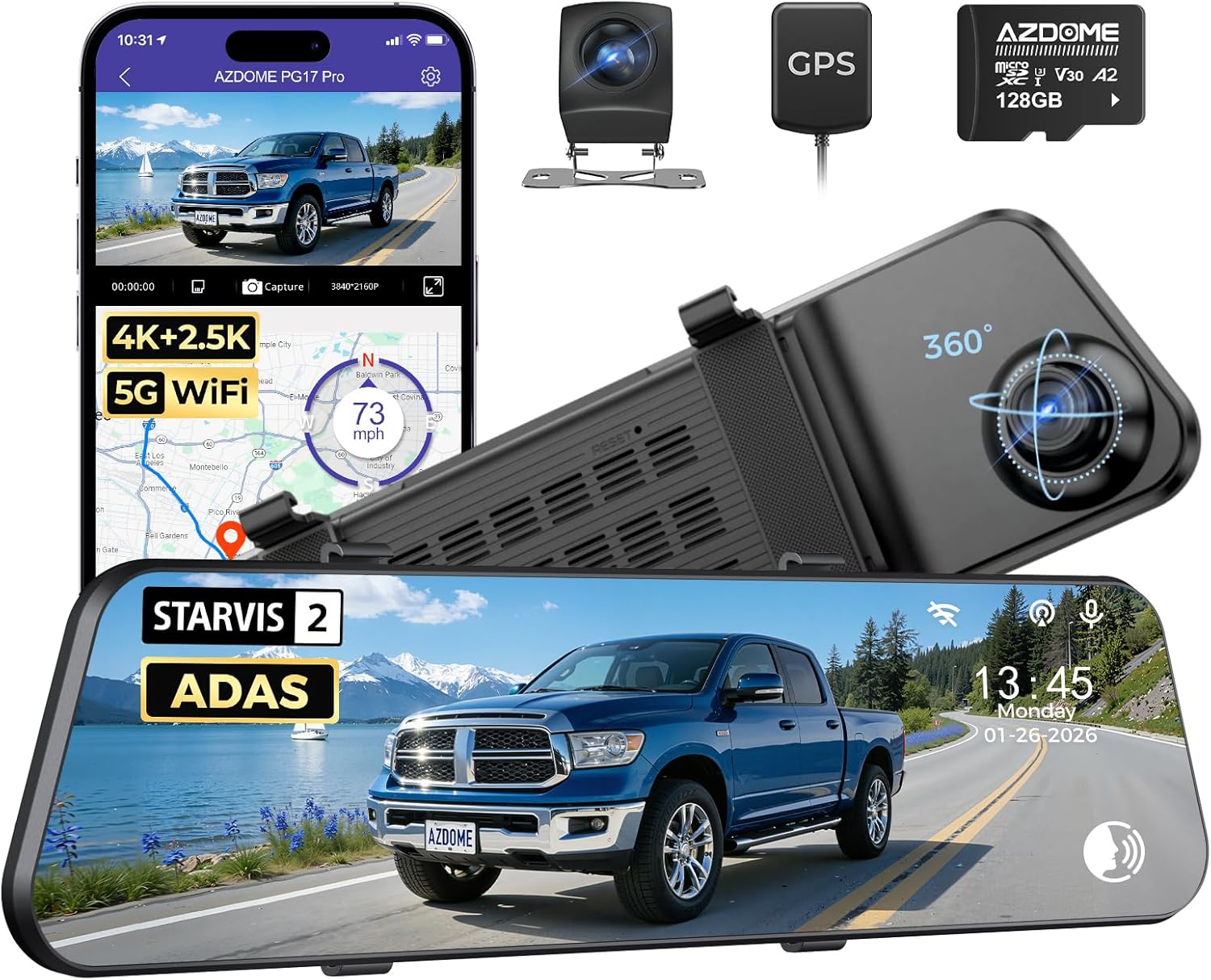
AZDOME PG17 Pro STARVIS 2 Mirror Dash Cam | 4K + 2.5K Dual HDR | 12" Touchscreen ADAS
gearnudge.com
- Best for
- A high-resolution mirror replacement for a clean windshield look.
- Avoid if
- You need confirmed live price or guaranteed fit from this page.
- Evidence
- Listing and source evidence
On the other hand, a stealth camera like the AZDOME M17 Pro hides discreetly behind your rearview mirror. However, keep in mind that its “4K” front resolution is interpolated from a native 2K sensor. You should always verify if a camera offers “true 4K” before paying a premium for the label.
SD card, hardwire, and mounting prechecks
Before you buy, check the small components that determine if the camera will actually work when it matters.
- High-Endurance SD Cards: Use a card rated at least Class 10/UHS-I. If you are using a 4K STARVIS 2 system, step up to V30 or V60 ratings to prevent dropped frames during high-bitrate recording.
- Capacity and Formatting: Match the card size to what your camera supports (128GB to 256GB is the common sweet spot). Always format the card inside the dash cam itself to ensure the file structure is correct.
- Hardwire Kits: If you want parking mode, your hardwire kit must include a low-voltage cutoff. This prevents the camera from draining your car battery to the point where the car won’t start.
- Mounting Placement: Mount the front camera directly behind your rearview mirror. This keeps it out of your sightline and complies with most state laws regarding windshield obstructions.
- Rear Camera Placement: Place the rear camera near the center of the rear window. Avoid placing it behind tinted glass, which can hurt night recording, or in the path of your rear wiper.
- Temperature Safety: If you live in a hot climate, prioritize supercapacitor models to avoid hardware failure.
Setup and parking mode notes
Since most incident clips are captured while parked, you should configure these settings deliberately.
Give your parking mode a reliable power path. This can be a hardwire kit with a low-voltage cutoff or an extra battery dedicated to parking surveillance. One BlackVue user captured a hit-and-run on a neighbor’s parked van using an extra battery for parking surveillance (not just hardwire), and the footage helped the neighbor recover repair costs and identify the driver.
When setting up the camera, look specifically for buffered parking mode. This ensures the 15–30 seconds before an impact are saved, preserving the footage of the fleeing vehicle.
You should also enable HDR and night-vision modes. For example, features like Night Vision 2.0 help balance highlights and shadows so that license plates stay readable in mixed lighting conditions.
Features that look useful but add cost
It is easy to get distracted by extra features, but you should spend your budget on evidence-critical specs like sensor quality, HDR, a CPL filter, and buffered parking.
Be wary of “interpolated 4K.” This is when a camera upscales a lower-resolution image to look like 4K, such as the AZDOME M17 Pro’s native-2K sensor. Always check for “true 4K” to ensure you are getting the actual pixel density you need.
Multi-camera systems that cover the sides of the car, like the AZDOME M350, add extra angles but increase complexity. These often require a 3-wire hardwire kit for 24-hour protection, which raises both the price and the installation difficulty.
Similarly, features like ADAS (Advanced Driver Assistance Systems) and fatigue alerts are helpful driver aids, but they are not evidence features. If your main goal is capturing an incident, don’t pay extra for them. Finally, while fast WiFi (like 5GHz or WiFi 6) makes downloading files faster, it won’t improve the actual quality of the video you capture.
FAQ
Which specs actually decide whether footage is usable?
A true 4K front sensor, a strong night sensor, buffered parking mode, and heat resilience. Those four decide whether a plate is readable before, during, and after the incident.
Why does buffered parking mode matter so much?
It keeps writing to a ring buffer and saves the 15–30 seconds before the trigger. Without it, an impact-triggered camera can record only the aftermath instead of the car that hit you.
Supercapacitor or battery?
Supercapacitor if your car sits in the heat. Thermal testing shows supercapacitor cameras still recording at 85°C, while lithium-ion degrades at 50–55°C and fails above 70°C.
Is "4K" on the box always true 4K?
No. Some models interpolate from a native 2K sensor, as the AZDOME M17 Pro does. Check for true 4K before you pay a premium for the label.
Which SD card should I use?
At least Class 10/UHS-I, and V30 or V60 for a 4K STARVIS 2 system. Match the capacity your camera supports, commonly 128GB to 256GB, and format the card inside the camera.